– RF온라인 KR Daum – RF Online EU OnNet Europe Gamecampus
Features
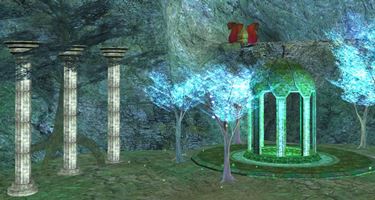
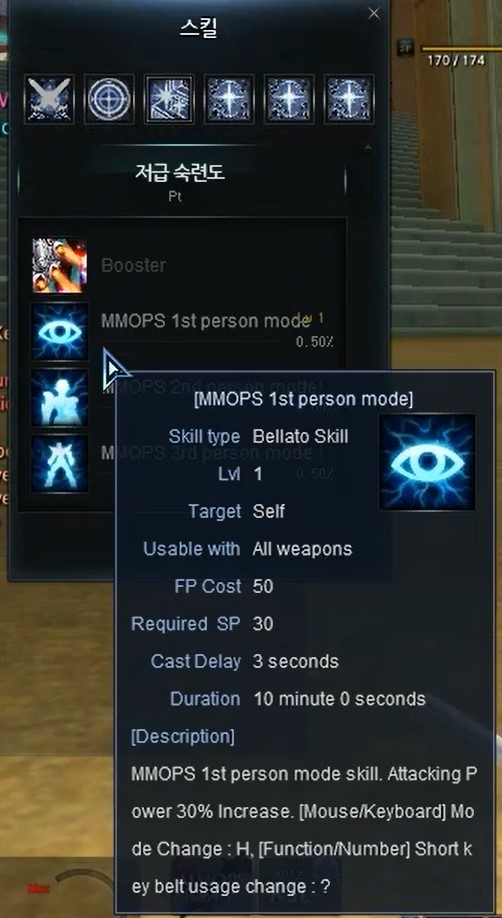
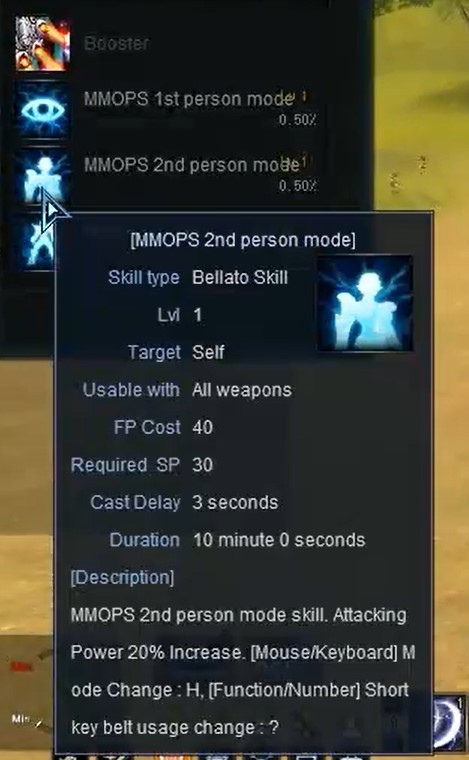
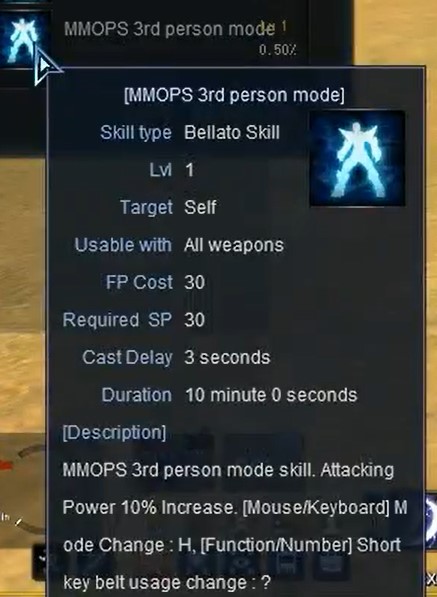
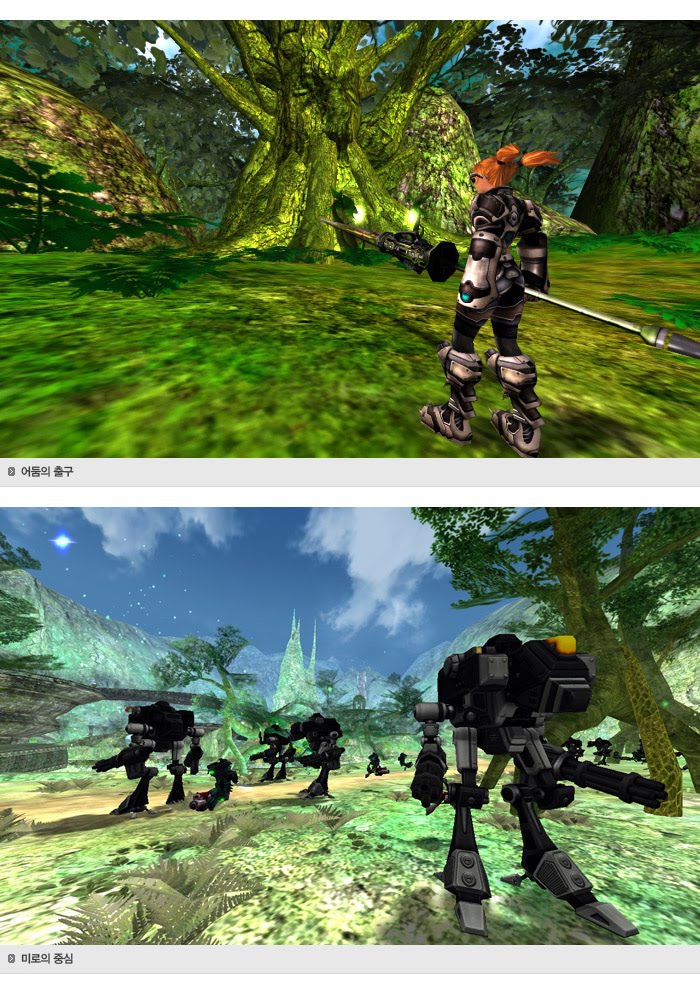
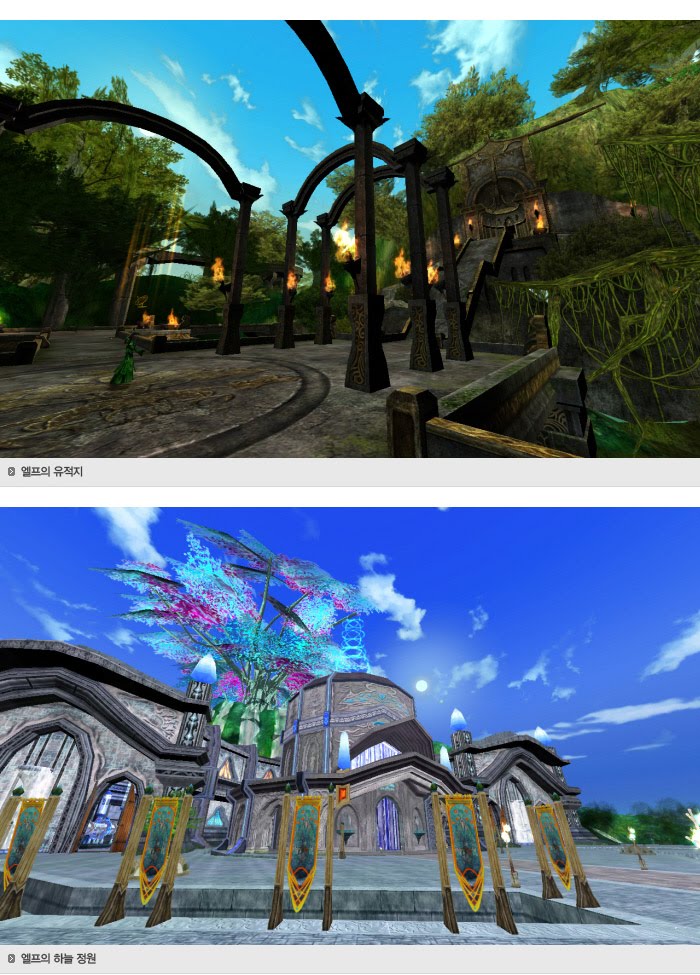
– MMORPG, MMOPS (MMO Person Shooter) – Max Level: 105 – Rich RFO Contents, lot of new UI – 5 types of RvR Wars: Global Server Battle, Level wars, Siege Wars, Race Survival League and Chip Wars. – Lots of New Map: Novajan, Jetso island, Elf relics, Elf Sky Garden, Medikeill Horon, Tpactiell Horonsil, Lumenion Nortir. – New Items, New Game Mechanics, All items can be enhanced.
Summary
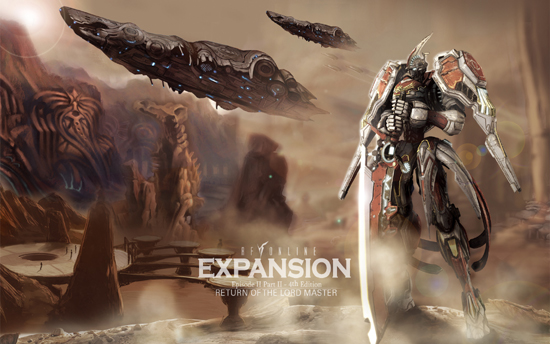
RF Online Expansion Pack V1.5 will provide a lot of fun with much additional contents compared to the existing RF Online, including overall UI changes. New Maps, New Items, New Mechanics, 5 Types of RvR Wars.
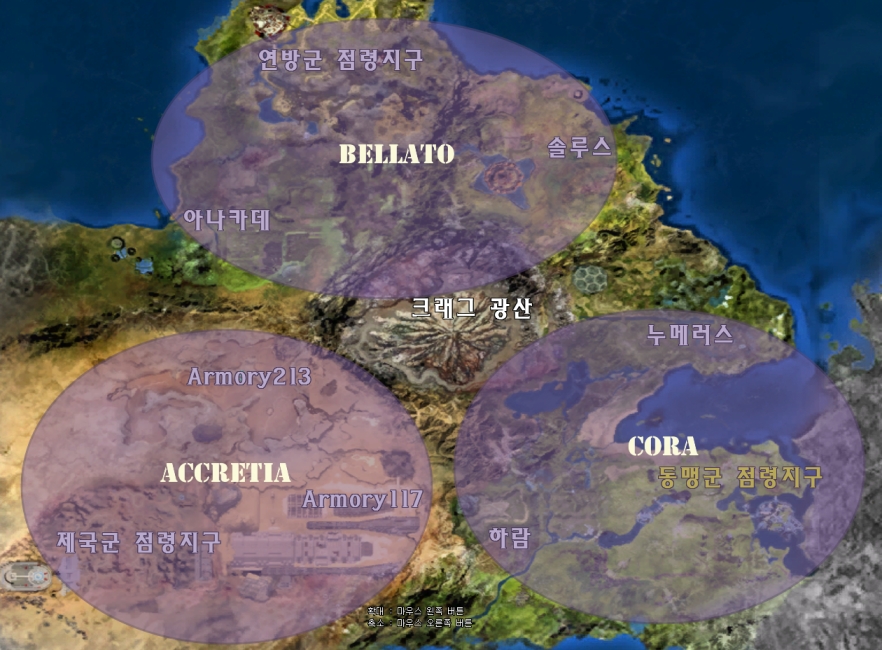
RF Online 1.5 or known as RF Online Expansion is an epic MMO based on an RvRvR (Race vs. Race vs. Race) system. The three races, Accretia, Bellato and Cora, find themselves in an endless war for the limited resources in the Novus galaxy.
With the unique mix of Sci-Fi, Fantasy and Steampunk , and its vast possibilities of specialization, every player will be able to find a character that matches their individual personality.
The different grades of specialization encourage teamwork and well balanced guilds, in which each player takes an invaluable role for the advancement of their guild and race. The various possibilities for PvP (Player vs. Player), RvR (Race vs. Race) and GvG (Guild vs. Guild) warfare allow for a huge amount of interaction and stimulate competitiveness between players thriving to rise to the top within and with their respective guild, race and even server.
Background
For millennia, the three races, Accretia, Bellato and Cora, lived side by side in peace. When resources started running out, however, the races started turning against each other.
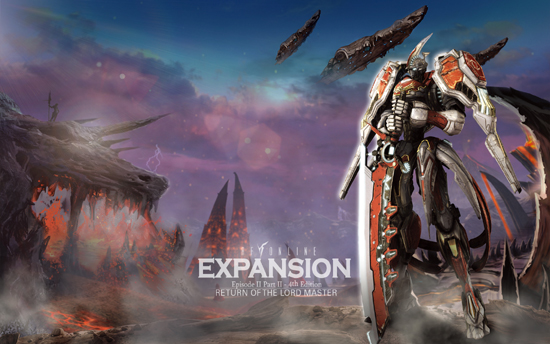
The Accretians developed from regular organic beings into humanoid hybrid machines with extremely strong firepower. As a purely materialistic race, they bow to no god and thus are unable to use magic skills. But this lack in Force is made up for by means of technology, and their armies do not need to hide from any other power.
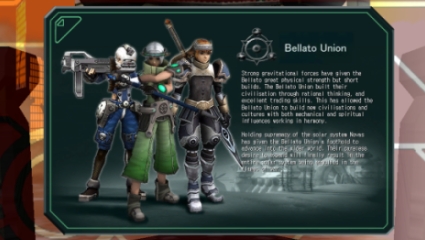
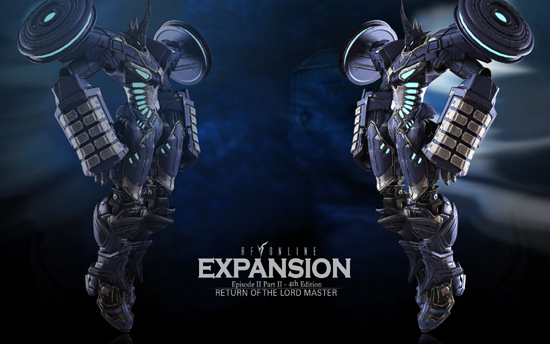
The Bellato Union have a small build due to the extremely high gravity on their home planet. Their intelligence and dexterity allowed them to build walking battle machines, which spread fear amongst their enemies. Besides that, they also use the Force of the Light, which allows them to use magic powers against their foes.
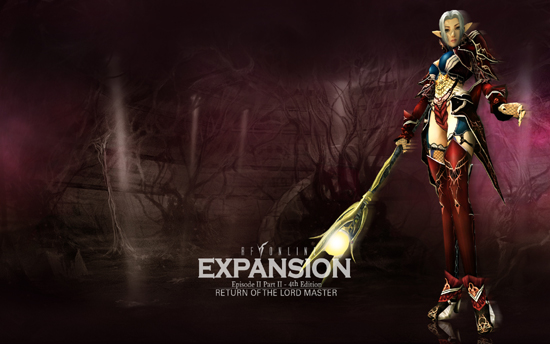
The Cora fight with the power of their god, Decem, on their side. They tap into the Dark Force and have pledged their allegiance to the Holy Alliance. All of their actions are executed for Decem, and Decem alone. Nothing could bend their pride in being servants to the higher good, and they will fight passionately and ruthlessly for their belief.
Connect to the game
When the installation of RF Online is complete you can find a shortcut to the game on your desktop. Double clicking it starts the RFO launcher. The launcher will download and install any patches that your RFO client might need so you will automatically stay up to date. Additionally, it displays the latest news regarding RF Online, and when you click the button ‘Options’ you can set some basic game settings. Once all updates are done the button ‘Start’ will change colour and you can start the game by clicking it.
LOGIN
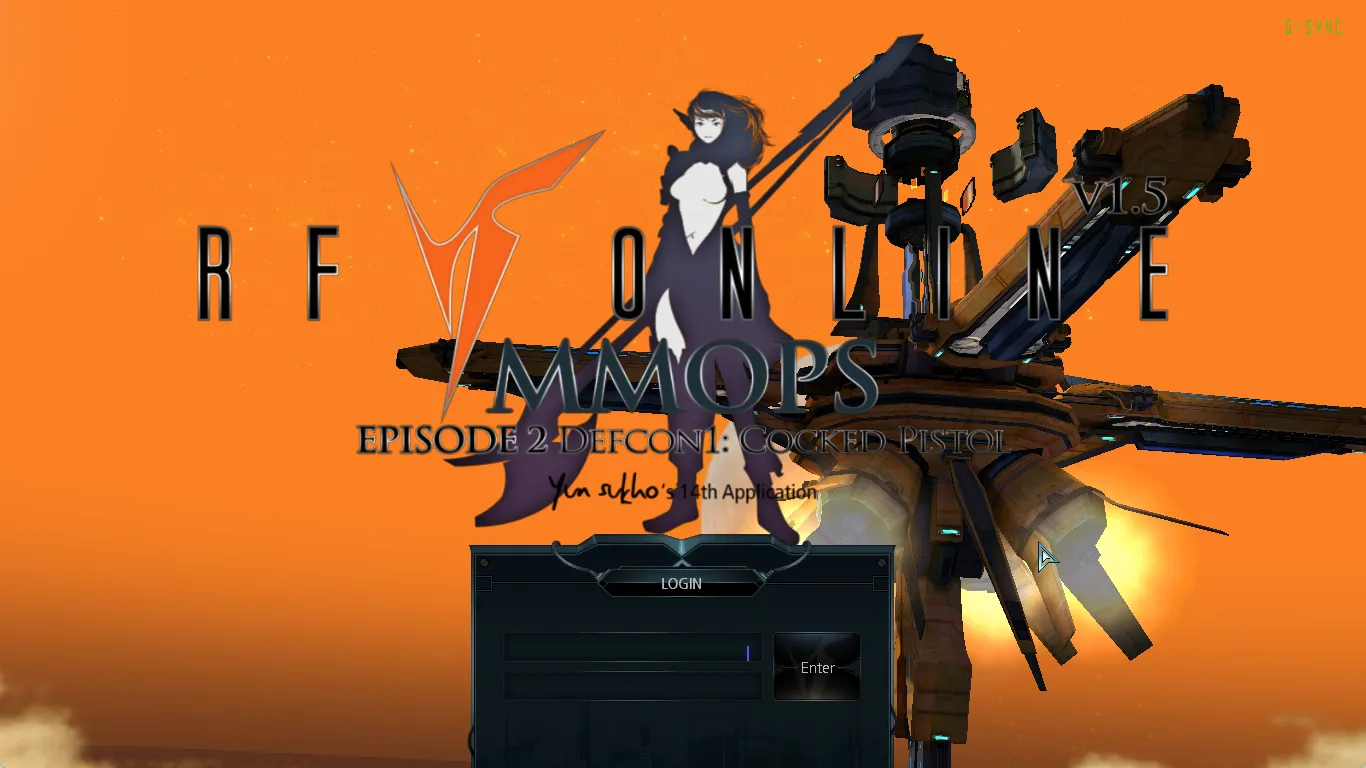
The first thing you’ll see when the game launches is the login screen. Here you have to enter your user ID and password that you chose when you registered an account. After this is done you will be prompted to choose your desired server where you can really start playing.
In RF Online you can choose from a large range of options when you create your character. The first basic decision will be which race your character will belong to. After that, you can choose a class for your character.
WARRIOR
The warrior class is robust, determined, and perfect for melee battles. They prefer melee weapons, shields, and strong armour. They have the most amount of HP out of all the classes. They are able act as tanks due to their strong defence.
Health
Excellent
Force
Normal
Stamina
Poor
RANGER
Rangers are gifted with long-distance fighting abilities. They have high accuracy and agility and specialize in long-range weapons such as guns and bows. They are able to run the fastest, allowing them to both get a head start and to retreat when necessary. They prefer lighter armour that can support their mobility.
Health
Normal
Force
Normal
Stamina
Excellent
SPIRITUALIST
Spiritualists rely on magic and forces. This class is not available to Accretians.
Health
Poor
Force
Excellent
Stamina
Normal
SPECIALIST
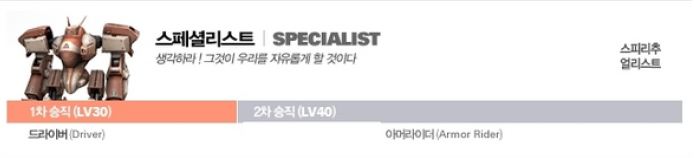
Specialists do not participate in battles and wars. Instead, they focus their time and energy on producing armour and weapons to help their race become stronger.
Health
Normal
Force
Normal
Stamina
Normal
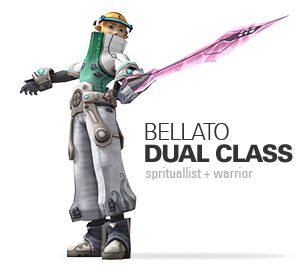
DUAL CLASSES
Characters can have two or more classes interchangeably. For example, a warrior can train to become a ranger. This allows for more abilities and actions which can help in hunting, PvP, and RvR.
REDEFINING CLASSES
Be careful of which class you choose for your character. Once you set your character’s class and promotions, it can only be changed in two ways:
1. Use a potion that allows you to redefine your character’s class. This potion is only available in the cash shop.
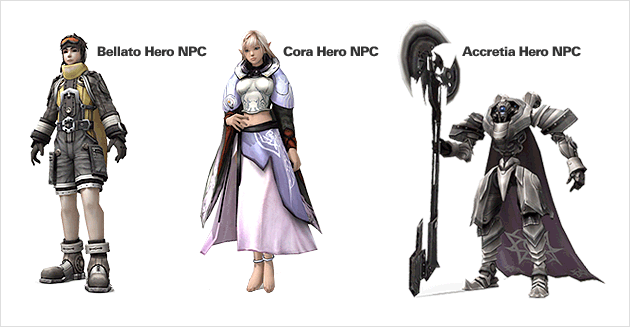
2. Talk to the “Hero” NPC in your race’s HQ and click “Redefine Class.” This option is only available during certain events.
Changes Caused by Redefining Classes
Your character’s stats will be reset to how they were prior to your class promotions. This includes: 1. HP, SP, and FP increases 2. Class Skills 3. Battle, Skill, and Force PT increases
Dual-classes can use the skills of the re-promoted class if it re-promoted to a single class.
Getting Used to the Game
Let’s familiarize ourselves with the game by looking at the basic player movements and abilities.
Basic Controls
Movement / Target Selection / Item Selection
Most of the basic controls consist of movement, target selection, and item selection. These allow you to move around or select targets and items.
Camera Control
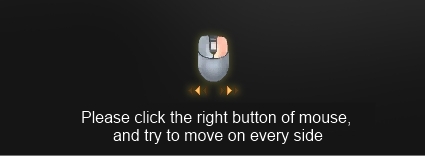
For a better overview during the game, you will need to move your view left/right or up/down. Hold down your right mouse button and move your mouse up/down or left/right to change your view.
Camera Zoom Controls
Sometimes you need to zoom in to get a closer look at items or characters. Use the mouse wheel to zoom in and out.
Equipment items
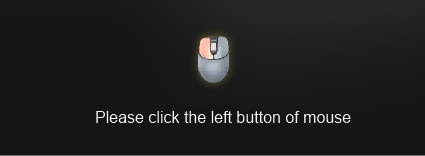
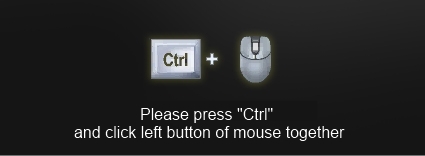
Right-clicking an item adds it to your equipment. You can also hold down the Ctrl key and use the left mouse button.
Use items and attack targets
Pick up Item / Attack Target
You can use this function when looting items while hunting. Hold down the spacebar to automatically pick up multiple items. To attack a target, click on the target and press the spacebar. In most cases, an automatic attack isn’t necessary, but it can be helpful in tactical battles. Keep in mind, however, that looting is limited when your inventory is full.
Skill equipment
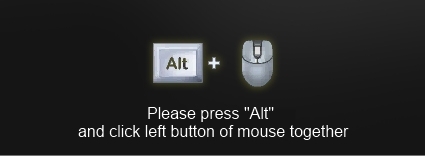
There’s also a shortcut to equip yourself with abilities. Press Alt + left mouse click to add the ability to your shortcut belt.
User Interface
Let’s take a look at the user interface. It’s beneficial to be familiar with the user interface before you start playing.
Quests
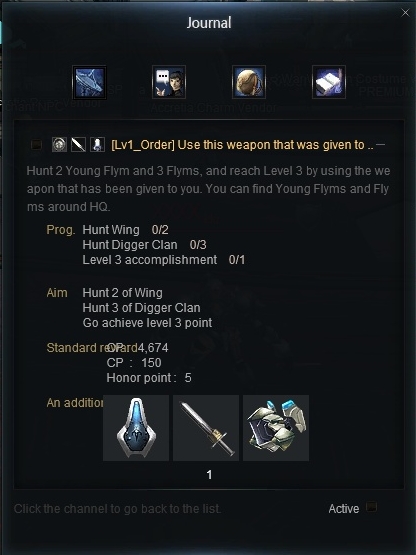
In RF Online, there are many useful features to help you complete quests quickly and easily. Quests provide you with numerous items that, in line with your level, help your character grow. They also reward you with experience points and in-game currency.
Clicking the information tab in the notification window gives you a quick overview of the quest content and requirements. The keyboard shortcut for this is “J”.
Playing Together
If you come together with other players, gameplay becomes much more exciting and interesting. Let’s see what kinds of contents there are to enjoy together.
Party Play
A party consists of more than 2 members and up to a maximum of 8 players. Parties are made mainly for hunting or mass battles.
Press “Ctrl+Right Click” to request the joining of or inviting someone to a party.
There is experience bonus during party hunts, which boosts level raising.
Guilds
Guilds are equivalent to guilds or clubs used in other games.
In RFO, you can receive a part of the tax made from joining a Guild, or become part of the Archon Council to lead with the Archon.
A Guild consists of a Guild Master, a Guild Committee and Guild members. When a Guild emblem is made, it is worn proudly by its members. Moreover, the use of Guild-exclusive Gates (Dungeons) is one of the many advantages of being part of a Guild.
Mine Battle
RF Online is the story of the conflicts between 3 races. There are distinctive races called Bellato, Cora and Accretia, who fight for the ownership of the Mines 3 times a day through Mine Battles.
The beauty of a Mine Battle is the ferocity of combat. The 3 races battle each other for 2 hours to protect the mines, in accordance to the command of their own Archon and the Archon Council.
Ore, which is mined by the winning race after a savage battle, gives an enormous amount of experience and plenty of items as rewards.
Level Battle
While the Mine Battle takes place under harsh conditions, open for all levels, the Level Battle provides similar battle contents as the Mine Battle, but with players of matching levels.
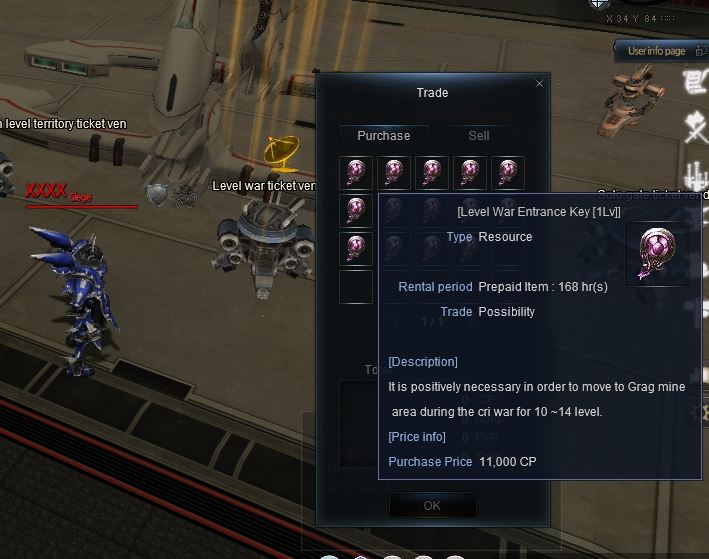
To participate in a Level Battle, you need an Entrance Key. Purchase the relevant level key from the “Level Battle Entrance Key Merchant” within the village.
A menu is shown when you go near a portal that looks like the one on the right, where you can choose the relevant level and enter the Level Battle map.
Boss Raid
Other games go on boss raids in parties or small raid groups. In RF, however, the whole race moves as one, led by the Archon Council, and hunts all bosses available in the time given.
The income from hunts can be divided through bids or donated for the better of the race. If you’re new to the world, it is recommended to participate in raids. When you do, remember that some maps have level restrictions, so it is recommended to consult the Archon Council first.
Advanced Gameplay
By making good use of the content in RF Online, you can gain a variety of benefits, significant power, and in-game currency. Let’s take a look at the content that boosts your character’s power. Mining Mining allows you to gather items, experience, and in-game currency. There is regional and global mining. With regional mining, if you own the rights to a region, you can acquire a considerable amount of in-game currency.
Indicator
Unlike other games, RF Online has a unified drop system called the Indicator. In short, it’s a system that allows players to acquire the desired items from monsters. Of course, different monsters drop different items. If a monster has one of your desired items, you can use a Feed Card to increase the drop rate of that specific item.
Item Enchantment
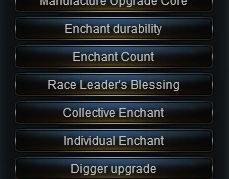
Enchantments are divided into 11 major and minor systems. Instead of simply increasing power, they allow players to modify desired stats. This is achieved by creating unique items with varying stats tailored to the player’s preferences. Enchantments can also be cast using the spell shortcut key. With sufficient materials, this can be used without an NPC.
Battles
The great thing about RF Online is the battles, in which all three races can participate. The races meet in the center at the Crag Mines and fight for control of the mines and ores, gaining items, buffs, and experience. A large number of players participate in these battles, making them more exciting and vibrant. Lower-level players have difficulty participating in mine battles and therefore tend to use the level-based battle system. The system allows players to participate in battles fought under similar conditions to mine battles, except that here they encounter players of a more appropriate level.
Battlefield and Leagues
On the battlefield, you can engage in live PvP and VvV battles against players from other servers. You can enter the battlefield via a shortcut. The battlefield is also a way to earn various rewards. This system is also great for players who enjoy showcasing their skills and proving themselves. A league battle is a massive clash between factions. Here, you can earn the most exclusive rewards in all of RF Online. So join forces and become the most powerful faction in the entire RF realm.
Warfare Variations
Global Server Battle
A system that matches players within a server for battle is a common one. However, a system that allows live battle within all servers is a rarity. In a way, the Battleground system is the most exciting content in RF. To fight with a complete stranger from a different server is, in itself, something to be thrilled with. There are two Battlegrounds, Global Server Battleground and Scheduled Battleground.
GLOBAL SERVER BATTLEGROUND
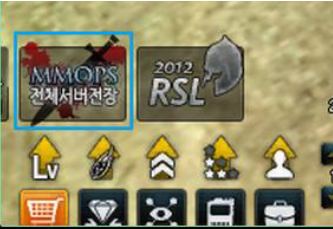
Global Server Battleground randomly matches players of all existing servers. Request for joining can be done by pressing the icon at the bottom of the screen. All you have to do is choose a name to be used on the Battleground.
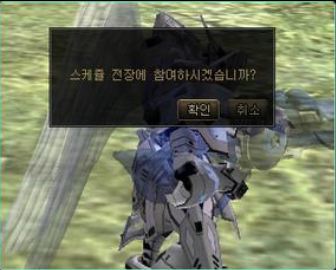
The following window is shown where you input a name.
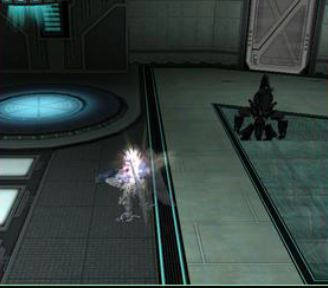
After this, press the icon again to be transferred to the waiting room. There, you will find an SD character to your right, as shown above, and approaching the character will activate matching and entry menus. You will be transferred to your revive point in the battlefield, of which there is no limit in number. However, there are points to be considered, so it is not recommended that you die too often. A reward of 1000PVP points is given.
Scheduled Battleground
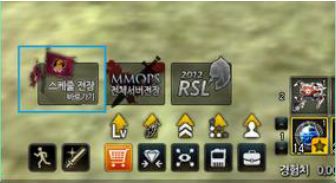
Scheduled Battleground is opened at certain set times. The difference from the Global Server Battleground is that it is a last-man-standing type system. Let’s look at the process first. When the time comes for a Scheduled Battleground is to be activated, an icon is shown at the bottom of the screen, as shown below. Press the button and enter the character name you wish to use.
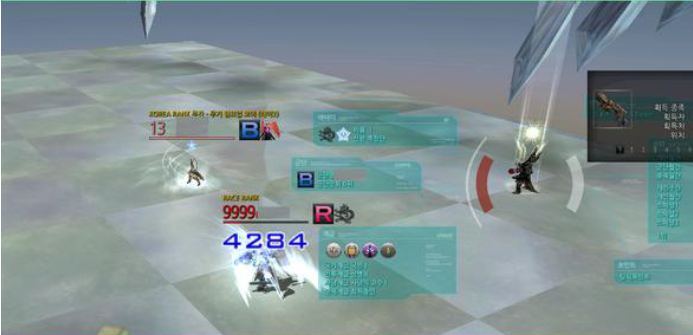
Unlike the Global Server Battleground, this is a survival system. You are divided up into Blue and Red teams. Once the team battle is complete, the remaining members of the winning team must fight each other until only one remains. In other words, you must, in the end, fight your own team members.
The fastest method to climb the PVP ranking is the Battlegrounds. This is because of the 1000 points you receive when you win. Items are important, but strategic use of landscape and teamwork is also a crucial factor to victory. PVP and RVR is by far the most exciting content. There are lots of benefits, so if you have sufficient level of items and enchants, it is recommended you enter the Battlegrounds to prove your strength.
Level Wars
A Surprisingly Fun Thing!! Level Wars!!
About Level Wars
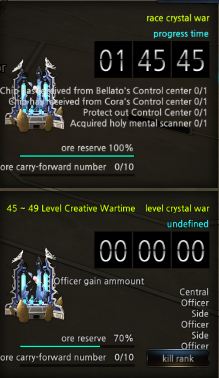
Level Wars are a variation of Chip Wars. In the previous Chip Wars, there were always many participants from all factions, but there were many complaints from lower-level players because they were simply slaughtered. To address these issues, the new version includes Level Wars for all players who previously never had the opportunity to enjoy Chip Wars.
As with Chip Wars, there are three Level Wars daily. The following explains how to participate.
To participate in a Level War, you must purchase a “Level War Entry Ticket” corresponding to your level from a merchant in HQ. Possessing this item also grants you experience points, allowing you to maintain a specific level.
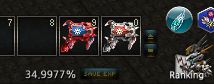
Keep in mind that the experience points you collect cannot exceed 200%, so you need to press “save EXP” from time to time to avoid losing any.
A message will be displayed when you enter the area, so pay attention to the information that appears in the notification window.
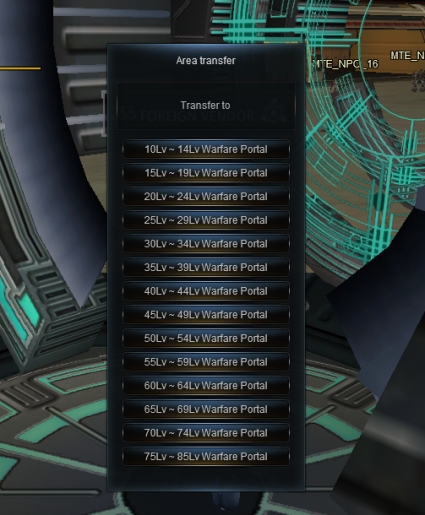
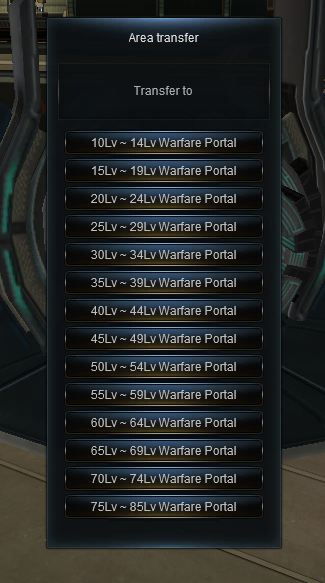
Level wars can be entered from HQ. Approach the object that looks like the one pictured below to activate the menu. Click the button that corresponds to your level to be transferred to the battlefield.
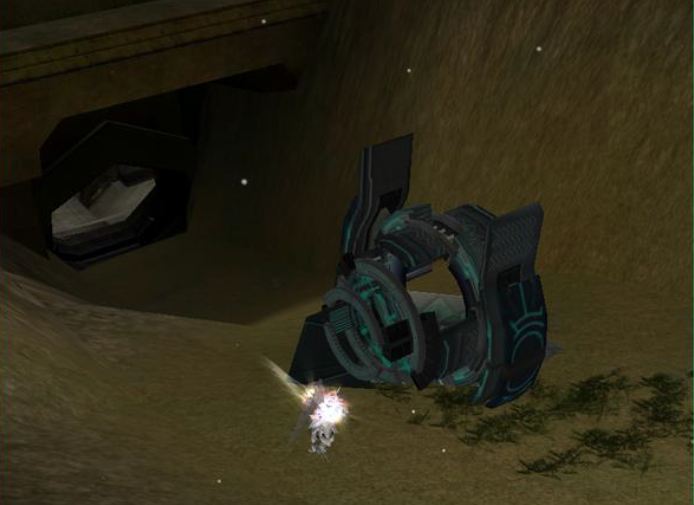
By clicking the button, you will be transported to the entrance of the Crag Mine, from where you should proceed directly to the lowest level. There are control devices at the mine entrances. Destroying these grants the player who landed the final blow a buff that allows them to mine ore. These control devices can also be attacked from mounted units. So, those were the methods for participating in and mastering the Level Wars. Now let’s turn to the benefits of the Level Wars.
What are the benefits of Level Wars?
The following is a brief explanation of the advantages of Level Wars.
You can get a buff for landing the final blow.
If you land the final hit in a Level War, you receive a 20% attack/defense buff, just like in Chip Wars.
Level Wars award ore and experience points.
Just like in Chip Wars, you receive experience points and ore in Level Wars using the same tools.
A commander and a deputy commander can be elected.
Every Sunday, after the last battle, a commander and a deputy commander are elected based on who has the most kills. They each receive a portion of the taxes levied on ore mining in the following week.
Level Wars are not wars with large numbers of players, but they also give beginners the opportunity to participate in PvP battles. They offer many advantages, so you have nothing to lose by participating! Level wars are based on speed. Pay attention to the war times and be the first to find and destroy the control devices!
Siege Wars
Occupy the territory! Siege Wars!!
What are Siege Wars?
Siege Wars are a feature of many MMORPGs and will be familiar to most players. In RF Online, the purpose of Siege Wars is to occupy territories and collect taxes. The HQ Siege on Sunday is particularly important, as it determines the Archon of the people!
Siege Wars offer the following three advantages: You receive a portion of the taxes, gain access to Occupier abilities, and the Archon and the members of the Archon Council are chosen. You receive a share of the taxes collected for the territory, and the territory owner can use the in-game currency earned to purchase Occupier abilities that are only valid for the guild. As mentioned, the Guild Master of the guild occupying the HQ becomes the Archon, and the Archon Council is elected from among its members to strengthen the guild.
Applying for the Siege War
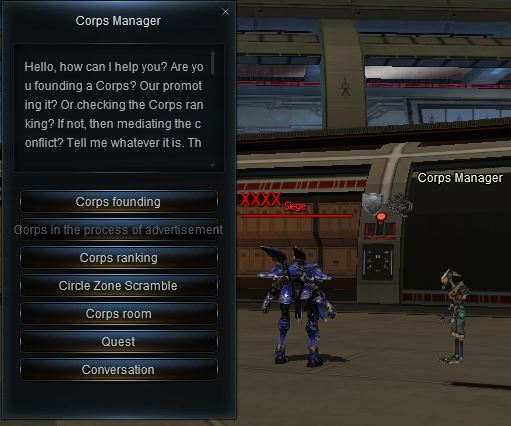
To participate, you must be a member of a guild. A guild can be created by going to the guild manager with a full group of 8 players and registering the guild.
With the guild, you can apply for the Siege War.
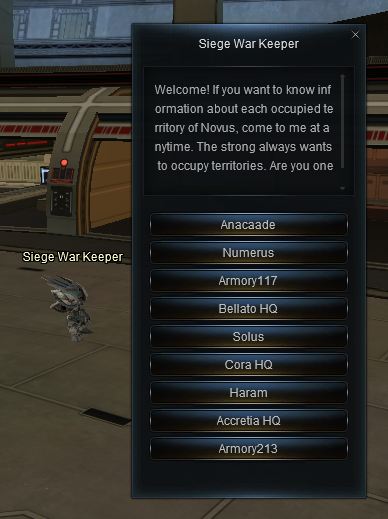
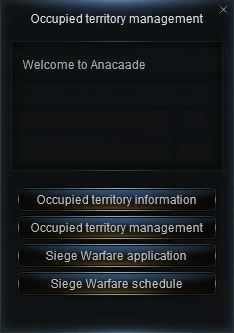
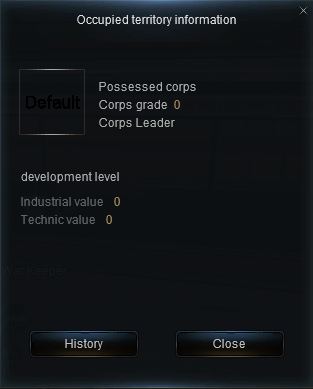
When you select a map, the territory menu will appear. There you can find information about the current occupiers. The management menu is only for the occupying guild. Clicking the “Apply for Siege War” button will submit your application, and you can view the schedule in the Siege War Schedule menu.
Course of the siege war
The following describes the different phases of the siege war.
Application => Summoning of participating members => Gate destruction => Shield stone destruction => Control device destruction => Defense flag destruction => Guard tower destruction
When a siege begins, the defenders and attackers are summoned to their posts. The gate must be destroyed first. Beware of the main cannon when attacking the gate! The cannon fires at random intervals, so you need a lot of GP. The inner area can be entered after the gate is destroyed. There are two shield stones. These have a large amount of GP, so you need to use all your strength to destroy them.
Next comes the control device. Here, too, concentrated firepower is required. You can easily waste too much time if you don’t know where the shield stones or the control device are located, so check the minimap to avoid this. After that, there’s the defense flag. The last hit is crucial. This is because the guild that lands the final hit receives a reward that is automatically added to their inventory.
Finally, there’s the watchtower. The guild that destroys the watchtower is the winner. This means they now occupy the territory. In a siege war, there’s only one defending guild and many attackers, so the watchtower must be destroyed to determine who occupies the territory.
The process may seem complicated at first glance, but it’s actually quite simple. If you focus your firepower on the respective target, the siege will be efficient. Finally, there’s no increase or decrease in merit points, PvP points, or experience, and you won’t be attacked by monsters. Improve your skills by participating in siege wars in different territories, and then try to lead your people by winning the HQ siege war!
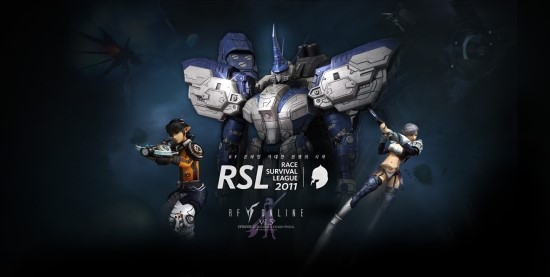
RSL “Race Survival League”
Why risk the danger and do PVP?
PVP.. It is something out of instinct. It is the ecstasy of playing an MMORPG. In RF, the PVP system is well prepared, which can be fully utilized as a game content. So, why do they risk so much to do PVP?
When you venture into the settlements after fighting Young Flems near the HQ, you’ve probably all experience back attack by another race. Not an attack, but a massacre. The screen turns grey… Frustration overwhelms you.
However, there is reason for PKs and PVPs, even for all the trouble of traveling all the way there. Various point systems have been applied to RF through the expansion pack. Of which there is one called Battle Points. Battle Points can be gained or lost through PVP. Now you’re probably asking, what’s so good about gaining Battle Points?
There are 3 major benefits from PVP. First is Rankings!! Battle Points are reflected straight away the Battle Point ranking. This is the ranking ladder for the strongest PK player. Don’t you want to be someone others fear?
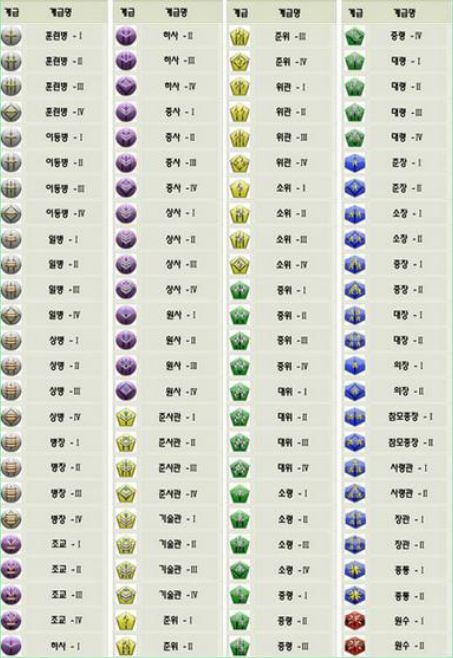
Second is the increase in rank and ability. There are 100 rank grades, which give the effects of increase in attack/defense power and HP. This is semi-permanent, so it’s worth the try.
Third is the core of PVP!! The ecstasy of PCP!! Don’t you get bored with hunting the same monsters over and over again… It’s good to feel the excitement through PKs and PVP. How about getting a hand on experience of PK and PVP through field battles and battlegrounds?
Is there a limit to RVR?
Don’t you get bored with hunting the same monsters over and over again… It’s good to feel the excitement through PKs and PVP. How about getting a hand on experience of PK and PVP through field battles and battlegrounds?
RVR: As you may already know, RVR means a massive scale or group battle. PVP is exciting, but not as much as an RVR. Previously, RF Online RVR was based on Mine Wars, but, with the expansion pack, now there are more RVR contents you can enjoy. Of them, the Battleground is recommended. There exists two, Scheduled Battleground and Global Server Battleground. Scheduled Battleground is a battleground with no limit in numbers, opened at specific times; Global Server Battleground is RVR based on temporary teams. Of course, this system matches you up with players from random servers. You receive 1000 battle points upon victory, which allow quick growth in rank, which in turn makes you character more powerful.
There are others, such as Mine Wars, Guild Wars, Level Wars and etc, but you already know of these. However, if you want to make real money, the League Battle is recommended.
Participating in League Battles
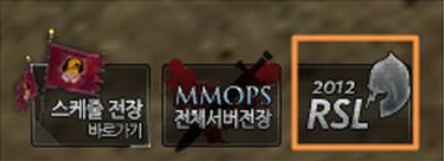
There are 3 icons at the bottom of the screen, each being Schedules Battleground, Global Battleground and the last one on the right is RSL, which stands for Race Survival League!
The race battles that were limited to within the server is now open for all server, all races.
League Battle Rewards
League Battles are survival fights between the races, so the surviving race is given money, honor and power, while the losers are cast down to the lower league and walk the path of a loser.
League Battles require the races to become a team, so the reward is extraordinary. Prize money is in hundreds of millions, with terriffic items and other participation prizes. Rewards may be changed, but they will still be something that will make players drop their jaws, since all players are qualified to participate.
Will you forever live in peace, hunting only monsters and performing quests? Now come out from the shadows and show the world your battle instincts!
About Items
Creating Your Own Weapon
Various enchant options have been added, due to the addition of absolute damage and absolute defense in the expansion. Therefore, it is possible to make items to your own taste with enchants. There are many ways of making items, but let’s first look into specialized items.
Specialized Items
Specialized items can be divided into PVP and PVE exclusive. PVP exclusive items are for anti-personnel use and PVE exclusive items are for monsters. To enchant specialized items, there are methods of Archon, mass or individual enchanting.
Through the 3 enchants, you can raise them to a maximum of 5000. PVP and PVE can all have option selective enchants.
When you enchant, the values are shown on the PVP attack power list. Moreover, specialized weapons can be enchanted regardless of whether they’re weapons or armors, so you could say that they can be raised almost infinitely. But note that trinkets cannot be given options.
Fashion Items
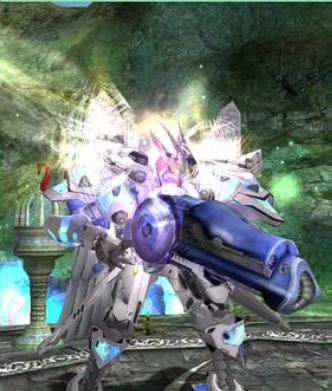
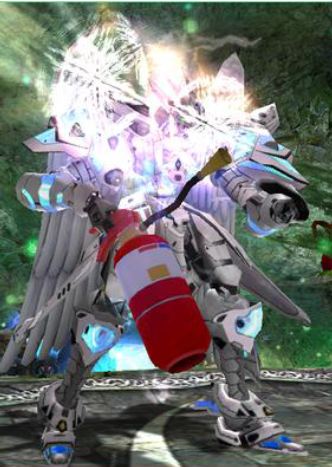
Everybody owns a fashion item, which will make players consider how cool their characters look. In RF, there are 2 ways to make possessed items look better. They are shinning effects and weapon costume items. The effects are given through enchant counts, but this is rather difficult because they are obtained through level up and grade increase.
A fancy effect is attached around the shoulders and back. Of course, these effects are shown only when the enchant count reaches the maximum points. Note that effects are added with each stage.
Second are weapon costumes. As shown in the image below, there are 3 types. First is the original item, second a fire extinguisher costume purchased at the cash shop, and the third is a costume item obtained from the gladiator system. Humorous costumes like the fire extinguisher can be purchased at the cash shop, according to the types of items. There are also armor and booster costumes.
Absolute Damage and Absolute Defense, the Spears and Shields of RF
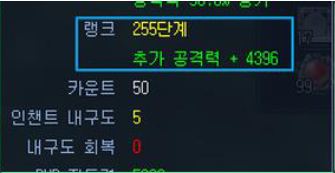
There exists a wide variation of enchants, such as grade-up, level-up, rank-up and so on. However, the easiest to apply, but at the same time the most vicious, are absolute damage and defense effects. Absolute damage means that damage will be given always and absolute defense means that the defense will be maintained at all times. For instance, if someone attacks someone with the absolute damage option, the defender will receive damage of the absolute damage value, regardless of their defense value. The absolute defense gives the opposite effect of reducing damage.
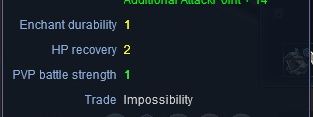
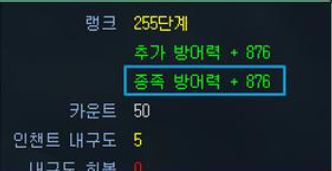
In a way, these options are like an all penetrating spear and all blocking shield. If you look at the image, the additional attack power (absolute damage) is 4396, while additional defense (absolute defense) is at 876. The attack power overwhelms defense. Therefore, there can be an addition of something called race defense.
However, race defense only applies to PVP, not in PVE. Moreover, there are 5 armor parts, compared to one weapon, so if all armor parts are given additional defense, defense will always win because the value would become something like 1752*5. Nevertheless, absolute damage and defense options are powerful options. It may be difficult, with the existence of 255 stages, but it is the easiest to enchant. So, if other enchants aren’t fit, try making a spear and shield through efficient rank-up enchants.
RF Drop System
In the expansion pack, the drop system has been fully modified to give certainty and interest. At the same time, it has become rather complicated, so let’s look into it one by one.
Kill Count and Time Attack
First is the Kill Count and Time Attack. The meaning of the two is absolute drop. The days of where players hunt thousands of monsters day and night for desired items are over. So is the reliance of pure luck and probability.
After 83 kills, a 51-55lv armor box will be dropped. Time Attack works the same way. As you can see in the image, the item count is 0, but after 29 minutes and 30 seconds, the item will be dropped for sure.
All monsters normally have drop chances. But the item can be dropped in one go, or there could be 100 kills in vain. Kill Count alleviates this by telling the player that “the item will be dropped after XX kills”. This gives the players a clear goal, unlike the vague hunts of before. Still, if you’re lucky, the item could be dropped before the Kill Count occurs.
They may sound difficult, but it is rather easy and convenient. Note that same monsters of different regions share the same count information.
Indicator
Indicator system uses Kill Count and Time Attack systems. In other words, if you don’t want to kill all 100 monsters and cannot wait, the indicator is used.
Now the it has been decided upon which item should be used to increase the drop chance. Use relevant feed cards to decrease the kill count or time.
If you use the cash item Hatcher Card, the shape turns to that of an animal.
About Special Classes
About MAUs
MAU is one of the 3 main abilities, which is exclusively used by the race of Bellato. Let’s take a look at these slow but powerful machines that never lose in 1 on 1 situations. MAUs are used by Armor Riders of the Bellato. Select to become a Rider in the first promotion, and Armor Rider in the second. Now let’s take a look at the types of MAUs.
Types of MAUs
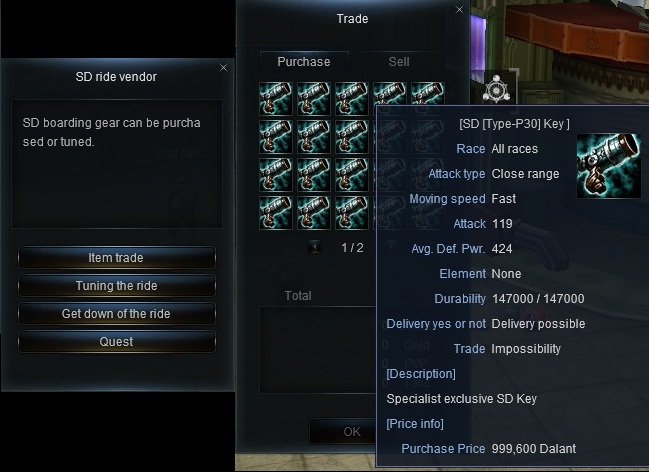
MAUs can be purchased from Unit merchants at the Bellato village. MAUs can be modified after a key is bought. They can be modified through the Unit merchant, which allow for a more powerful MAU by replacing parts or weapons.
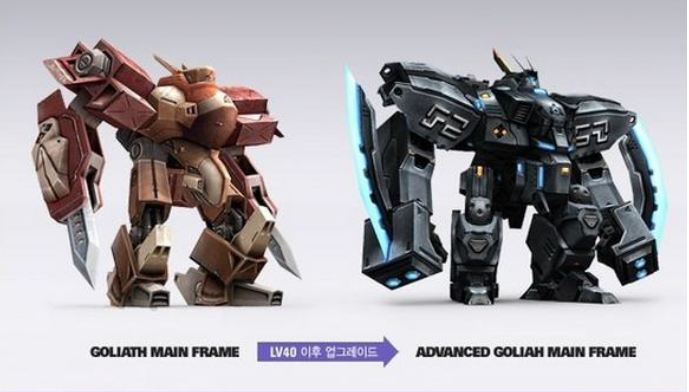
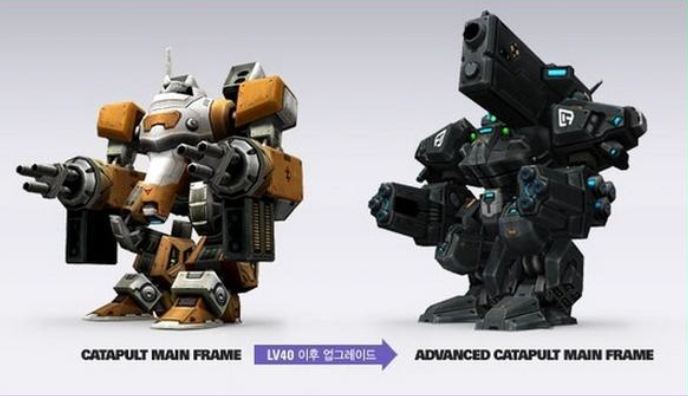
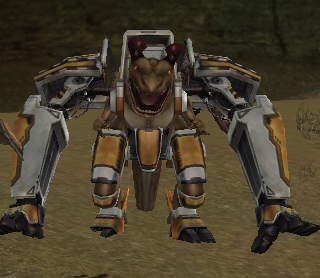
Now let’s look into the types of MAUs. Goliaths are tanker types, with strong armor, while Caterpults are dealer types with powerful attack abilities.
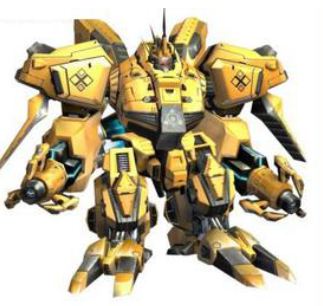
Goliaths has an obvious appearance of being concrete, with its massive size helping the image. Since it specializes as a tanker, attack power is relatively low, but it compensates that with powerful armor and high HP second to no other. The shape of Goliaths can be changed with every 10 levels.
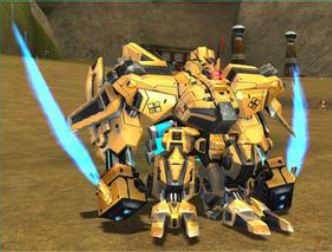
A 60 level Goliath is yellow and, as you can see in the image, it looks more solid and elegant. Don’t forget that the ability of it increases as the level rises.
Second is the Caterpult. Caterpults are dealers with powerful ranged damage. The attack speed is rather slow, but one hit gives a huge blow that makes it difficult to reach them.
Compared to other main abilities of the 3 races, the maintenance costs of MAU is relatively steep. Fortunately, the system has been changed so that MAUs are not completely destroyed and repairable, which alleviates the previous issues where a destroyed MAU cost a fortune to replace. Thus, there are more MAU users and their roles have become more diverse. The following is on how to use MAUs efficiently.
USE OF MAUS
If you know your MAU well, you can use them with exceptional finesse. Let’s take a closer look.
Object Destruction
They are enormously effective in destroying objects, such as Control Devices, Cubes, Beacons and etc. They give extra damage against objects so they can level one in no time.
Shortcuts
When boarding an MAU, there are times when you need to get off quickly. Clicking on it to get off exposes you to danger. Use the shortcut “/” to quickly get off and escape. However, MAUs are not destroyed, so remember that you can use it again only after storing them.
Gate Using
Inside Gates, you do not gain more experience by eliminating more monsters. You must dispose of a limited amount of monsters in the given time, so a Caterpult would be effective in such situations. Other members are required to keep it safe from monsters, because monsters of Gates give more damage than usual.
About Animus
–
About Launchers & Siege Kits
About Launchers
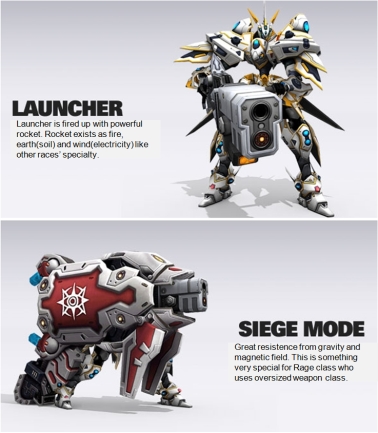
Launchers are exclusive to the race of Accretia and their Striker class.
Launchers use rockets with Fire, Earth, Wind and Water elements which give powerful area damage. The advantages of Launchers are no different to other ranged weapons, but the situation differs when they enter siege mode.
Note that siege mode uses siege kits and is vulnerable in defense, since the player becomes immobile.
FAUST
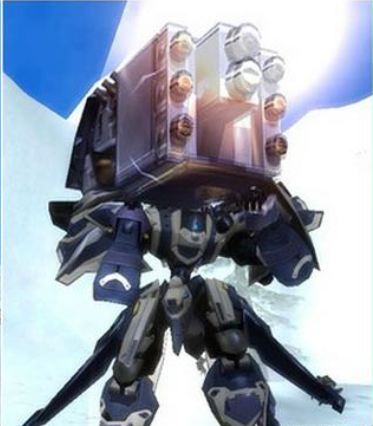
Previously, there was a Launcher called Faust which could not be used for Siege Mode. It was humorously called the “Refrigerator”, carried by some for the fun of it.
Launchers specialize in ranged attacks, so they have to be positioned well. In party hunts, the Launcher, acting as the main dealer, will attack monsters lured closer by the tanker.
Types of Siege Kits and Uses
To use Launchers well, you must also use Siege Kits well. Launchers are the trademark of Strikers, but Siege Kits makes them even more effective. Let’s take a look at the types and use of Siege Kits.
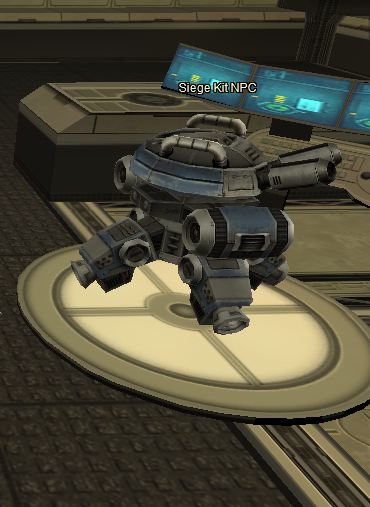
Siege Kits can be purchased by Siege Kit Merchants at the Advanced Base.
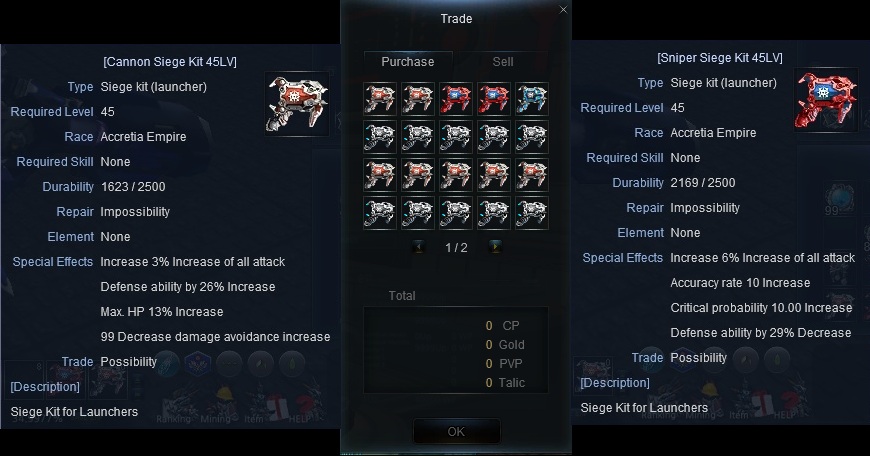
There are various Siege Kits for various levels, with a wide range of options. However, remember that they are consumables and that the player becomes vulnerable when in use.
As you can see in the above image, Attack Power/Hit Rate/Critical Rate is increased, but evade and defense decreases dramatically. This is a penalty for the powerful offense ability.
When using Siege Kits, it is important to either oppress or obstruct enemies before the come too close.
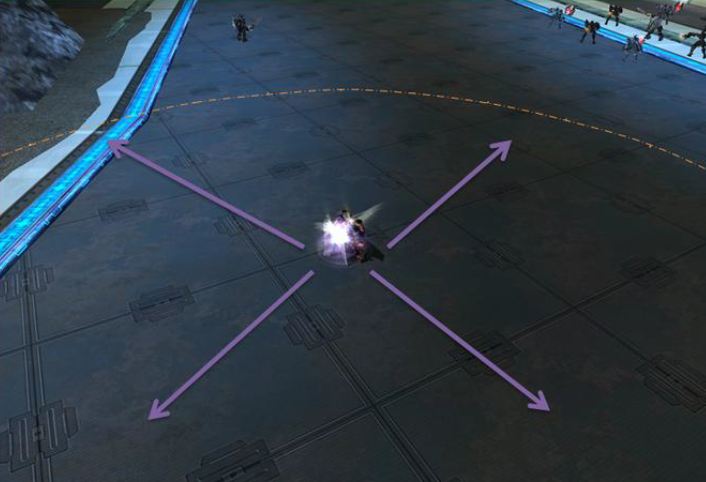
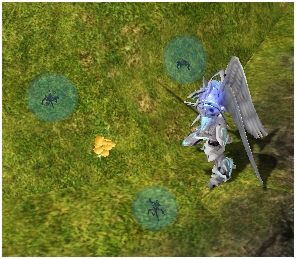
The range of Launchers is shown with a yellow dot. Use this well in battles.
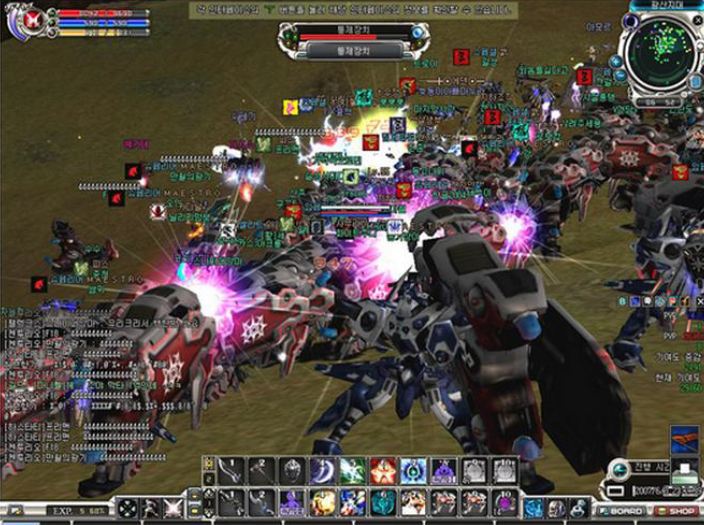
When you install a Launcher, no other race can dare approach you. There is no doubt in saying that the Launcher and Siege Mode used by Strikers of Accretia is the most powerful and feared weapon of RF.
General Gameplay
Use your brains in battle! Survival Gear!
Survival gear enhances your combat abilities in addition to your character’s existing skills. It might seem cowardly, but as they say, the end justifies the means.
Types of Survival Gear
There are a total of 12 types of survival gear. Let’s take a look at the functions of each.
Barricade
A defensive combat gear that deals a small amount of damage and restricts movement.
Protection Tower
A defensive combat gear that damages nearby enemies.
Buff Tower
A defensive combat gear that grants buffs to yourself and your allies while near the tower.
Debuff Tower
A defensive combat gear that inflicts certain debuffs on approaching enemies.
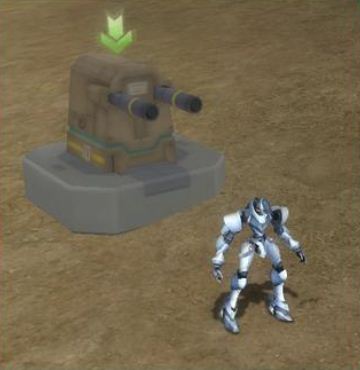
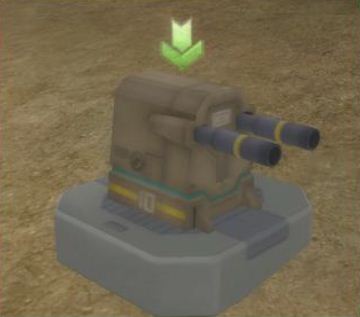
Turret
An offensive combat piece of equipment that deals heavy damage to nearby enemies.
Bunker
A defensive combat piece of equipment that makes it difficult to target the character and allies.
Trap
An offensive combat piece of equipment that is normally undetectable and deals significant damage, similar to a mine.
Mounts
Usable as a defensive/offensive/mobile type, allowing the user to transform into certain monsters and use their abilities.
AP Orbs
Equipment that allows the user to deal additional damage as a percentage of their maximum attack power.
Spells
Equipment that grants various effects when equipped in the inventory.
Rune
Consumable items that casts various special skills, such as self-destruct or petrify.
Radar
Displays the position of allies/enemies/boss enemies on the radar.
Using Survival Equipment
Let’s look at how to use survival equipment effectively and what you should avoid. Since there are several types, we’ll examine each one individually.
First, the use and characteristics of the fixed types: Barricades, Protection/Buff/Debuff Towers, Turrets, Bunkers, and Traps. Generally, Barricades, Protection Towers, and Turrets are similar in their features.
Once installed, you’ll see something like the image. The main feature of these installed survival gear is their size, allowing them to provide cover for your character. It might not work if you’re already targeted, but otherwise, you can use them for cover and attack from within if you’re a ranged attacker.
Use the keyboard to easily access the inside of these gear. It might not seem like much, but it’s a significant strategic advantage, allowing you to avoid being targeted in combat. Use this on different battlefields, and you’ll quickly see how effective it is.
Next up is the trap. It’s permanently installed but hidden underground, like a mine. Therefore, it’s best to place it where you expect most enemy movement. You’ll gain combat points when an enemy is killed by a trap, even if you’re on a different map.
This is most effective in the Sette Desert, especially if you place traps where generic factions spawn or at the map entrance. Of course, the traps also have different values, and the higher the value, the greater the damage they inflict. If you’re using lower-value traps, remember to place more of them to maximize damage output.
Now let’s look at mounts, which can literally be ridden by a character. When you mount one, your character’s attributes are replaced with those of the mount. This can offer many advantages. There’s a mount vendor in the village. There are many different mounts with a wide variety of attributes.
Monster mounts, tethered mounts, and SD mounts are offensive mounts. There are also CC mounts, which are fast but cannot perform combat actions.
Mounts are very efficient pieces of equipment. Make sure you upgrade them beforehand at the mount vendor.
If they aren’t upgraded, even the most powerful mounts won’t be able to attack. Many players forget this and then have to make the tedious trip back to the vendor or find themselves in dangerous situations.
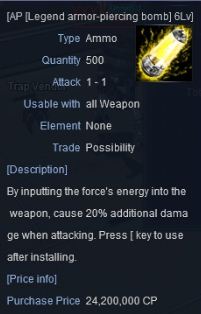
The next type of survival gear is accessories. First up are AP Orbs. In their own way, AP Orbs are the most effective survival gear in RF. Since they increase your maximum attack power, they are very powerful.
You can buy them from the Projectile Vendor, but these are less potent. You can get the best orbs from the Talic Point Combat Support Vendor. As you can see in the image, the difference in power ranges from 3% to 20%.
Survival gear is very useful in both combat and hunting. Use it even if you can’t defeat an enemy or other player with your normal abilities. It will lead you to victory.
Solo Gate
About Solo Gates
Solo Gate is a content for players who cannot participate in party play. It can get difficult at times, but using lower level overlapping gates will make things easier. Moreover, Solo Gates are the quickest means to get your hands on trinkets. So, if you cannot join a party or cannot be bothered to travel to far away hunting zones, the Solo Gate is for you.
Solo Gate Entrance
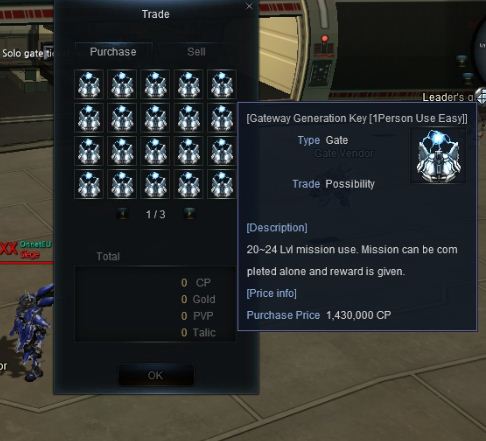
Solo Gates can be entered at the HQ. Before entering, you must determine the level of the gate you wish to enter and purchase the relevant entrance key. The method of use is no different to existing gates.
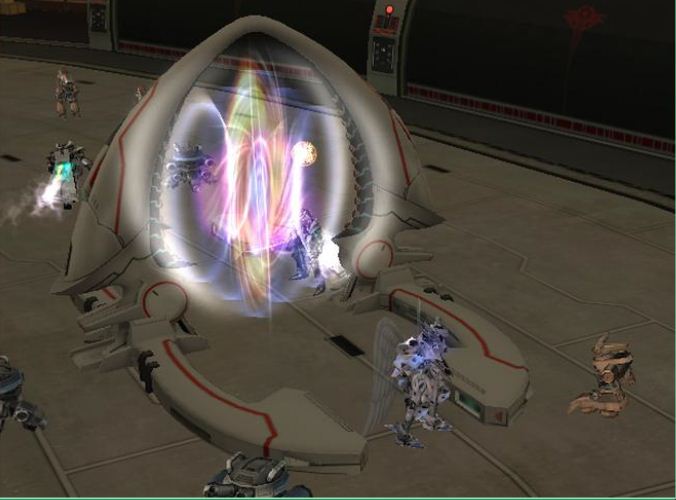
There are 3 difficulties to Solo Gates, which are Normal, Hard and Alpha, with Alpha being the most difficult. If you’ve purchased an entrance key, talk to the NPC right next to it to produce a gate like the one shown in the picture above.
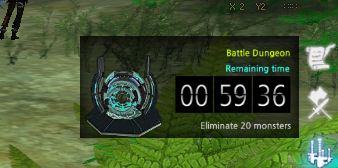
Once you enter, the time limit and conditions are shown. The image below shows that 58 minutes and 58 seconds are left, with the condition of eliminating all monsters. The information can be checked in the 3rd dungeon information of the notice window. It consists of approximately 2-4 stages.
You will hunt normal monsters on all stages except for the last, in which you fight the final boss. Many monsters are hostile, so it is advised that you maintain some distance to make sure not too many join the battle. When completed, you will receive experience and other rewards, and possibly a good grade trinket if you’re lucky.
It does not give as much experience points as party playing, but the beauty of Solo Gate is that you can hunt alone in comfort and obtain new trinkets. It is truly exciting to obtain such items without forming parties or travelling so far.
It is important to look carefully when moving through the Solo Gate map. You are required to defeat many monsters, so it will be a nuisance to go back to find missed targets.
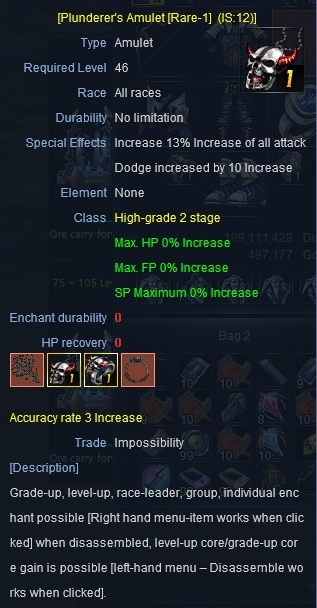
The ultimate trinket!! Fully enchanted trinkets!!
Hunting Areas by Level
With the new expansion pack, many new maps were added. Because of this, information for the best areas for relevant levels was scarce. This was made more difficult with the change of monster placement and abilities. Let’s take a look at where you should go for your level.
1~30 Level Area
Each of the HQ and settlement areas are suitable for levels 1 to 29, with monsters and quest place for the level range.
Since many are familiar with these areas, details will not be discussed. For the record, there is a level 50 ace grade monster here called “Assassin Builder A”, which is sometimes hunted by parties. However, it is recommended that you find a different, more suitable field for efficiency.
31~50 Level Area
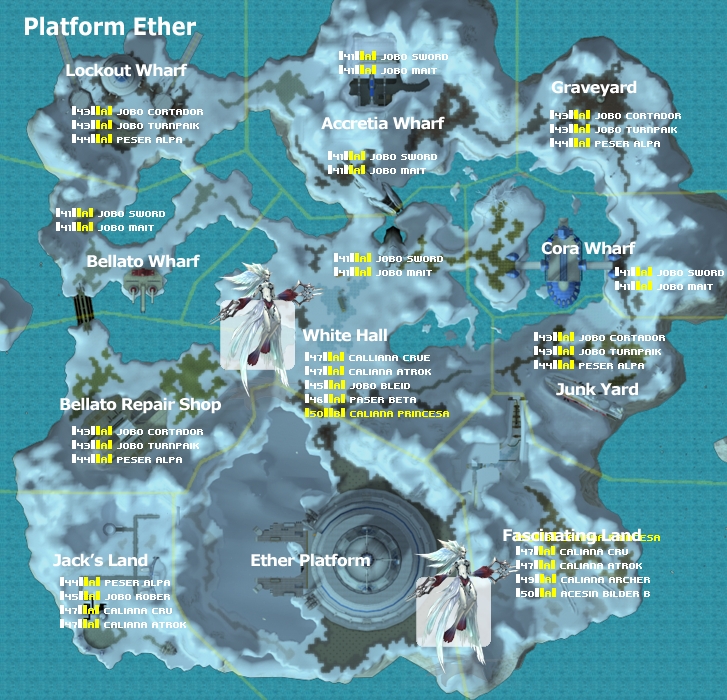
When you’re at level 30, you are fit for hunting in Ether. You must get there via the transport vessel. To get there, go to the docks with the Chooty, buy a ticket and board the ship when it arrives. Ehter is a snow covered land with constant snow fall. For that, there are monsters apt for the environment.
The above monsters are hostile, so keep your distance when hunting them. Also, there are Chooty monsters near the docks and Fascinating Land. They aren’t strong, but will cause some irritation because they can heal themselves. You should be wary of the distance between monsters and for PK from other races when hunting in Ether.
The problem with Ether is that you have to ride the transport craft. If you have someone or a party to help who are over 30, then the Sette Desert could be an option as well.
It is a dangerous place to go alone. Except for the lower level monsters, most monsters of Sette are protective of their species. If there is a similar kind nearby, they will attack together.
Two or more will hit you with force. There’s no chance in winning against many!!
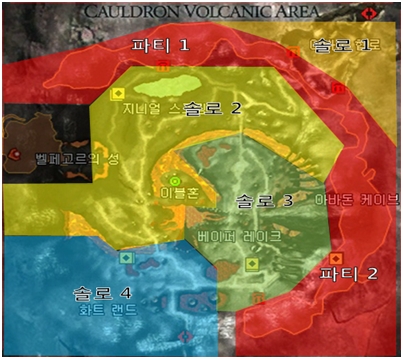
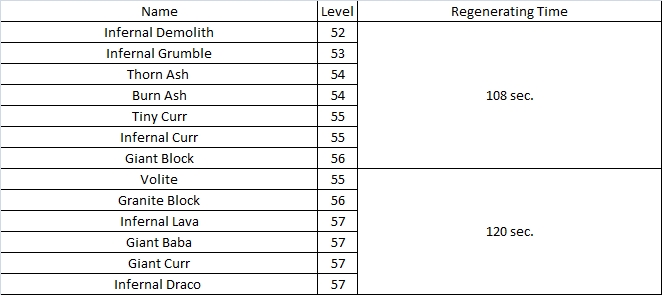
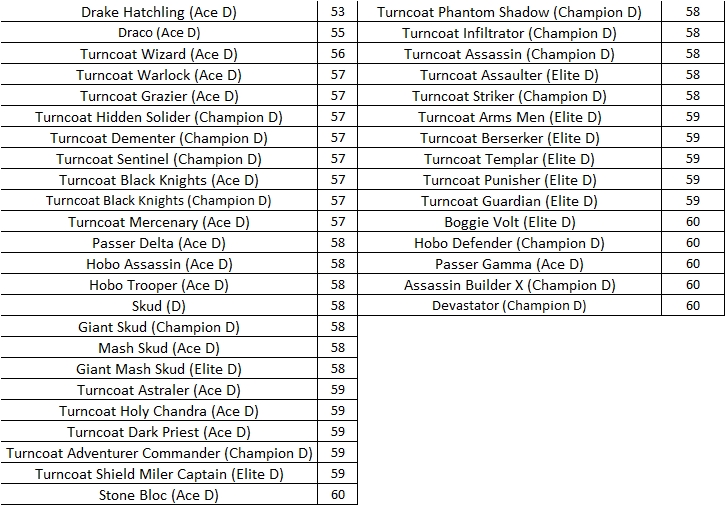
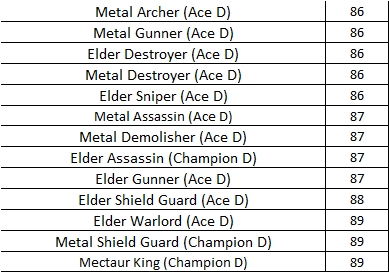
As shown in the image above, the areas for solo play and party play has been separated. Cauldron Volcano has strong monsters, so check with the image to set your boundaries. The chart below will help you determine the regen time and level of monsters.
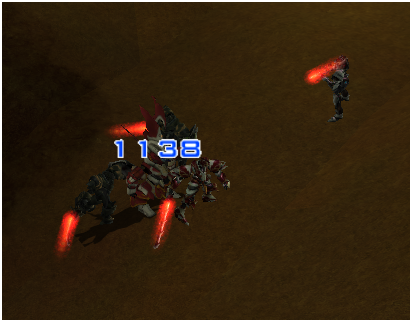
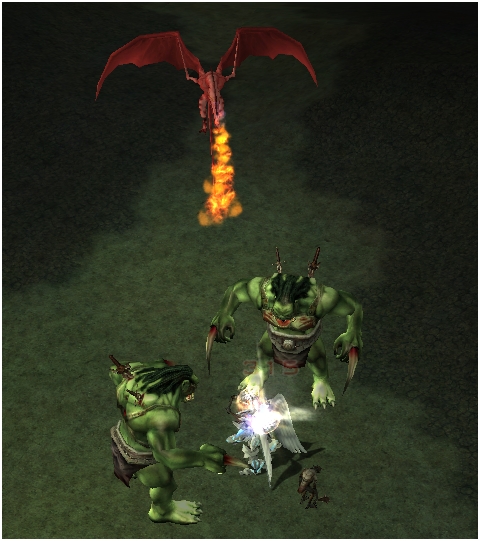
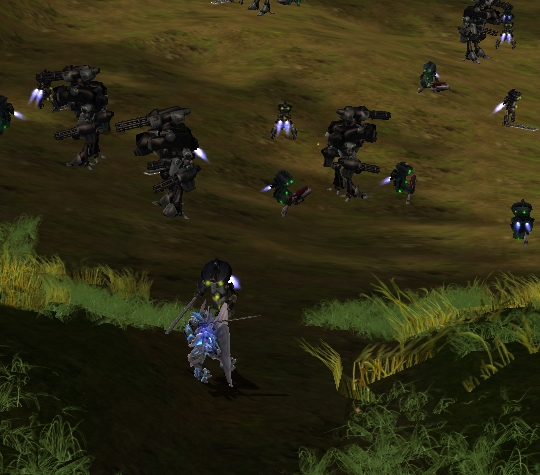
Lastly, there are many species aware monsters at Cauldron Volcano, so look out for other monsters nearby. If you don’t… You’ll be surrounded like so.
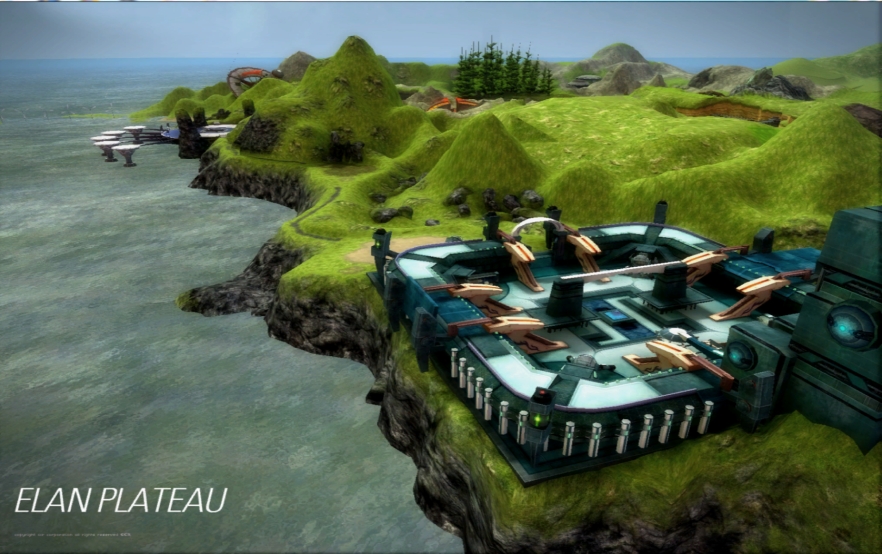
Second is Elan. Elan is suitable for up to level 50.
Elan is characterized by narrow passages and long paths. Different paths have different monsters and the narrow width sometimes forces you to fight some monsters. They’re not easy to spot.
Monsters are in tight groups in Elan, so it’s crucial that you lure them out one by one. Note that there are stronger monsters as you go in deeper.
Information on the Monsters of Elan
Let’s take a look at the monsters of Elan.
51~60 Level Area
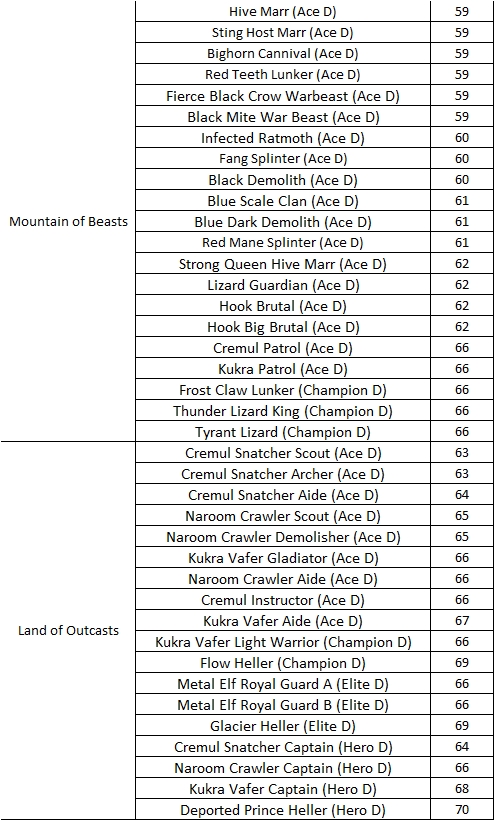
From level 51 to 60, you’ll be hunting at Beast Mountain and Outcast Land. Everyone knows that it is more efficient to be in a party, but this is especially crucial in these areas because there are many hazards that could take away your life.
Dragon’s Tomb has a dense population of monsters, so there’s no need for searching around for monsters. There are also somethings to interest those sight seers. There are always some toad-like monsters near the pond. Well, they are cute when you see them close.
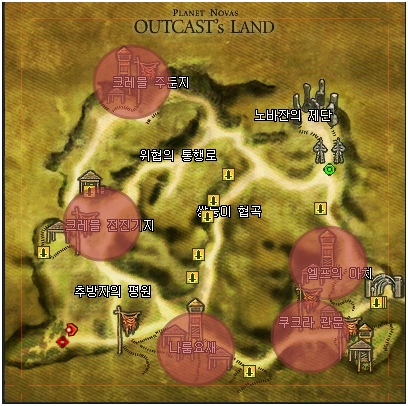
When you get used to Beast Mountain and it gets boring, head out to the Outcast Land. Follow the Road of Ancients to reach Outcast Land. You don’t need any items to enter, but the level cap is 51. Outcast Land is full of autumn colors.
Here, monsters form villages, scattered around the lands. The red on the radar below shows locations where monsters are clustered. In Outcast Land, it is recommended you enter the monster villages and hunt in one location. There is a merchant a little north of Cremul Outpost, who will provide you with emergency medication.
61~70 Level Area
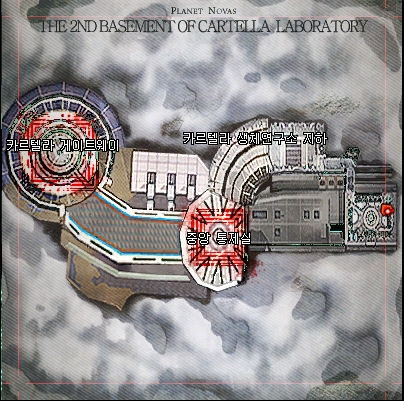
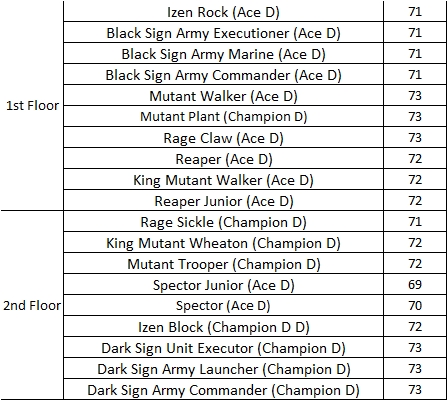
From level 61, monsters are located minutely. The level range of monsters is now down to 1~3 levels per map, unlike the previous 10 level range. From levels 61 to 63, B1 and B2 levels of the Cartella Bio Lab is recommended. Beware, the map isn’t long, but the path is narrow, so watch out for aggro.
The B1 and B2 map of the Cartella Bio Lab have the same map, but in opposite directions.
Bio 1 Bio 2 Monster Information
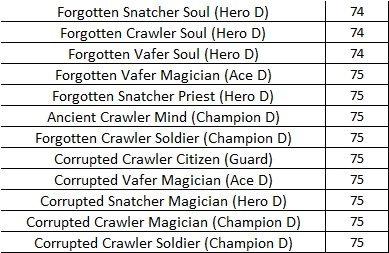
Novajan Fortress
When you’re at level 64, the Novajan Fortress is recommended. Monster range is from levels 74 to 75, so it should be good until level 65.
Novajan Fortress Monster Information
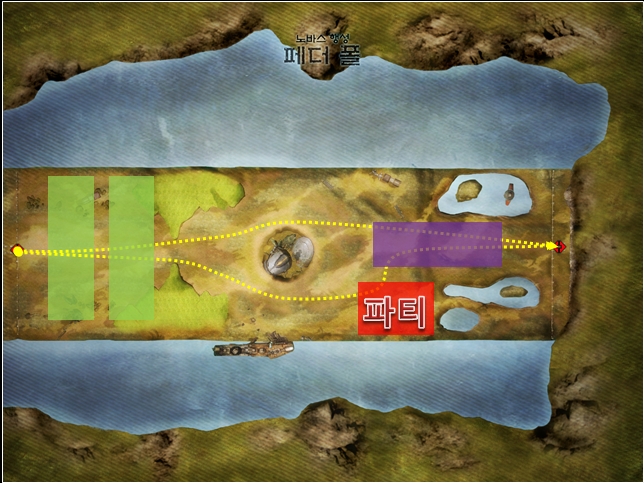
The circles in the image indicate good hunting locations. The one indicated as party is rather difficult for solo play, so form a party there. Now that you’ve checked the road, head to the Forest of Frozen Time! The Forest of Frozen Time has a simple map, as shown below. This place has also been indicated with areas for solo play and party play.
Forest of Frozen Time is good for level 66 to 68.
Forest of Frozen Time Monster Information
69 Level ~ 70 Level
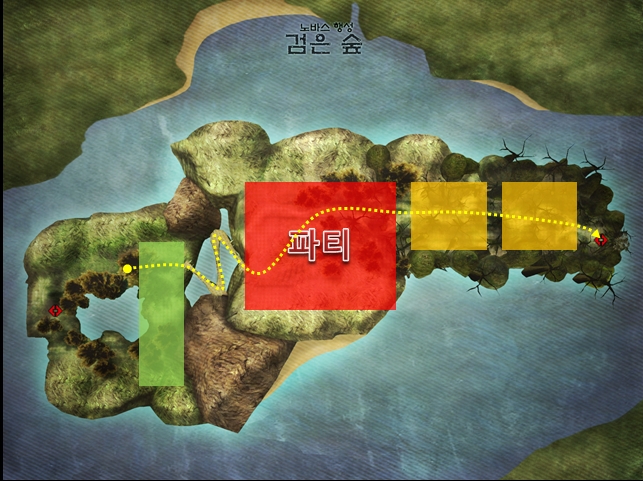
Next is the map for levels 69 to 70, the Beast Land. The image says the Dark Forest, but don’t mind that. The large area at the center is suitable for parties, with the rest fit for solo play.
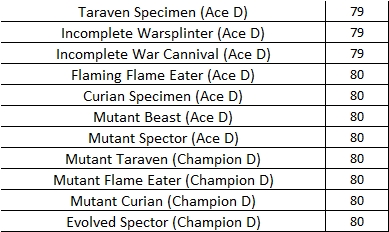
Beast Land Monster Information
71~80 Level Area
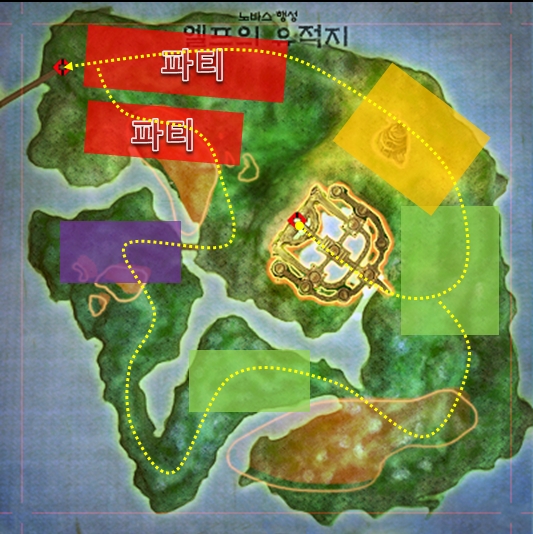
The Elven Ruins for level 71 to 73. You could get lost in this place because of the size, so take a good look at the map below. Note that trans-map portals are located at the entrance and at the center of the map.
Elven Ruins Monster Information
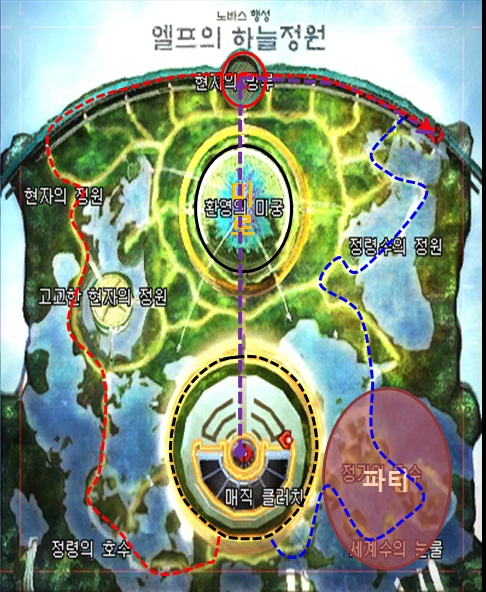
Elven Sky Garden
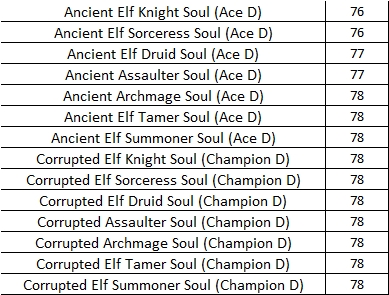
From level 74, the map becomes complicated. The vivid Elven Sky Garden is for levels 74 and 75.
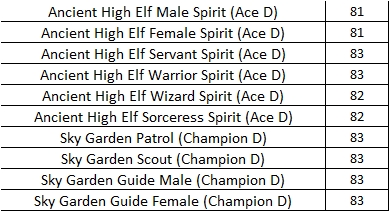
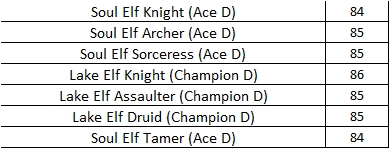
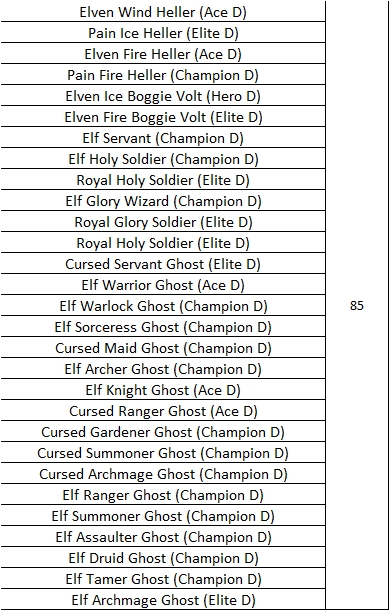
Elven Sky Garden Monster Information
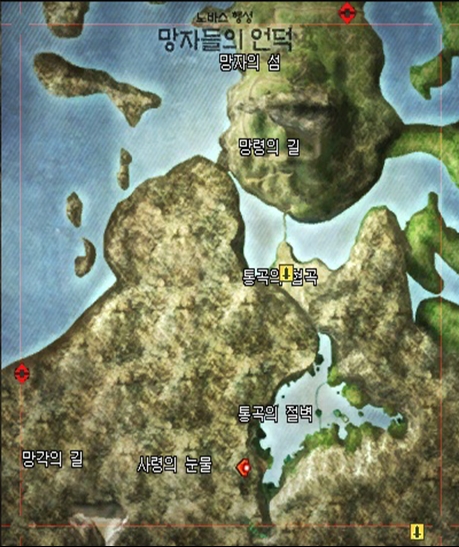
Hill of the Dead
No need for monster distribution details here, since they are placed evenly. All monsters are at level 85, with various monsters in various locations. When you’ve reached level 76, go to the Hill of the Dead. Monsters are distributed well here. Note the largest land at the center as party play.
Tower of Immortals
Immortal Tower is the latest map. You could top the level cap through exploration, but keep in mind that you can do so through mining as well, so try and enjoy other contents of the game on the path to reaching the maximum level.
Summary and Gallery
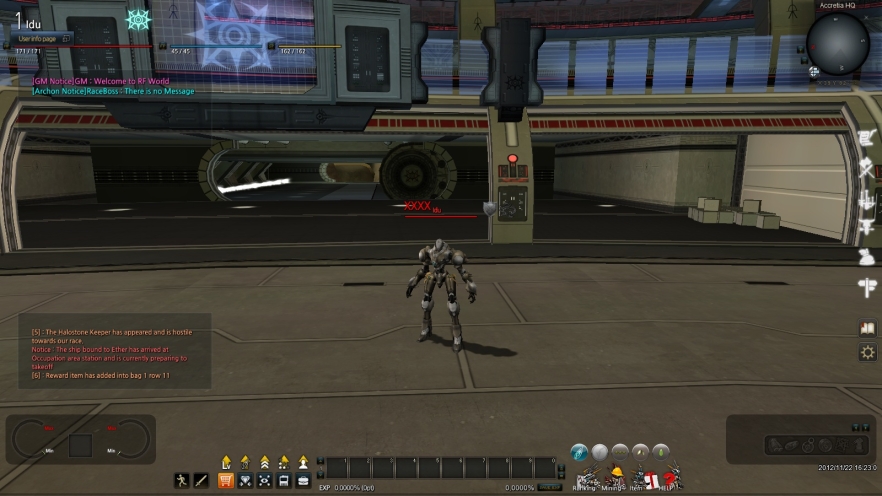
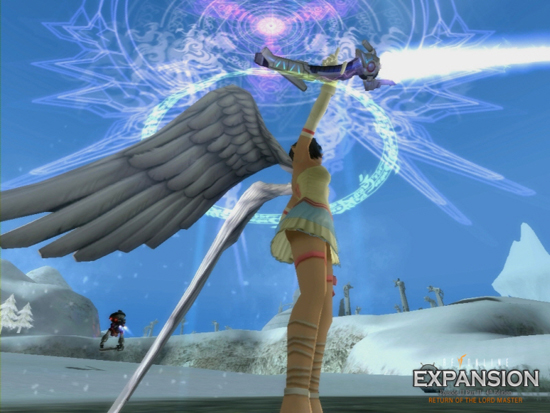
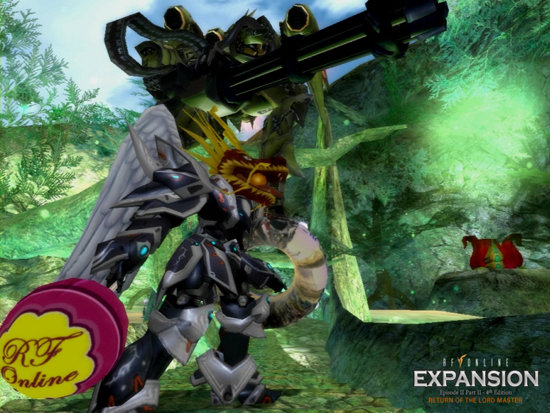
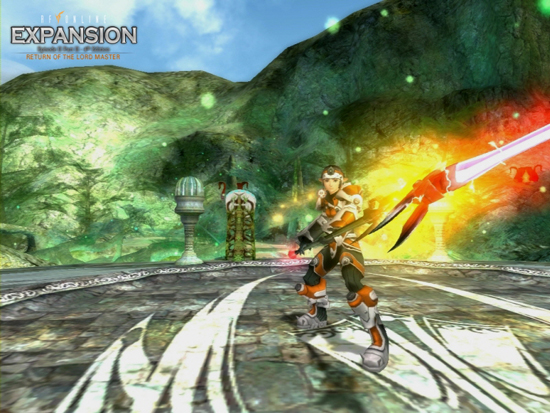
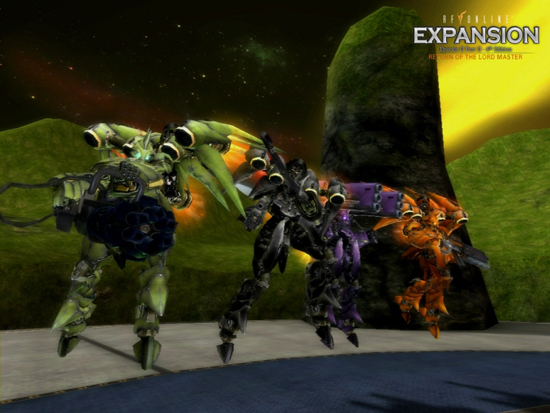
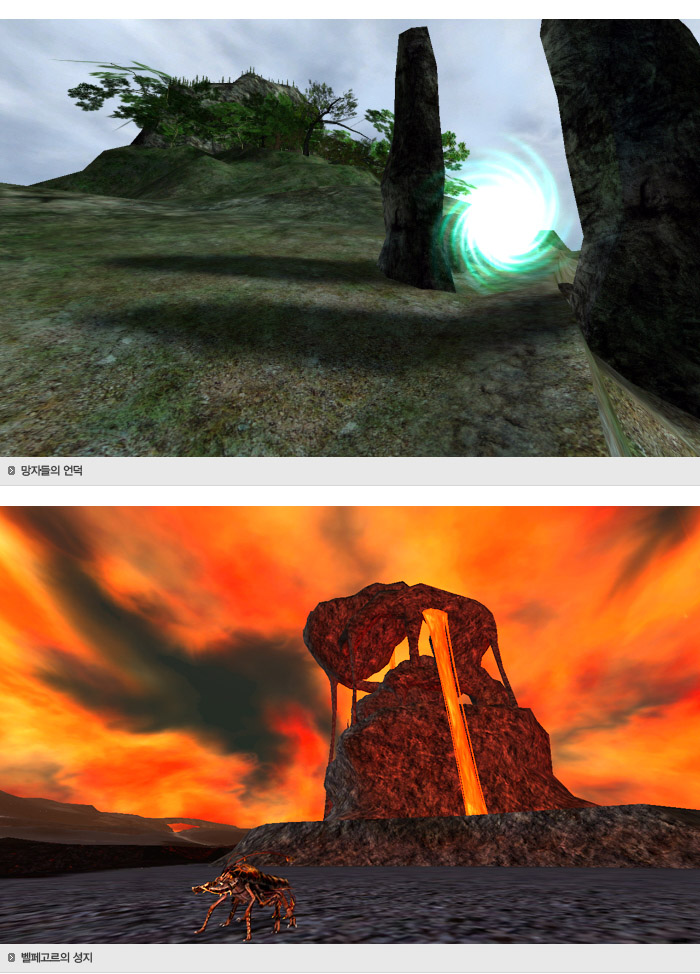
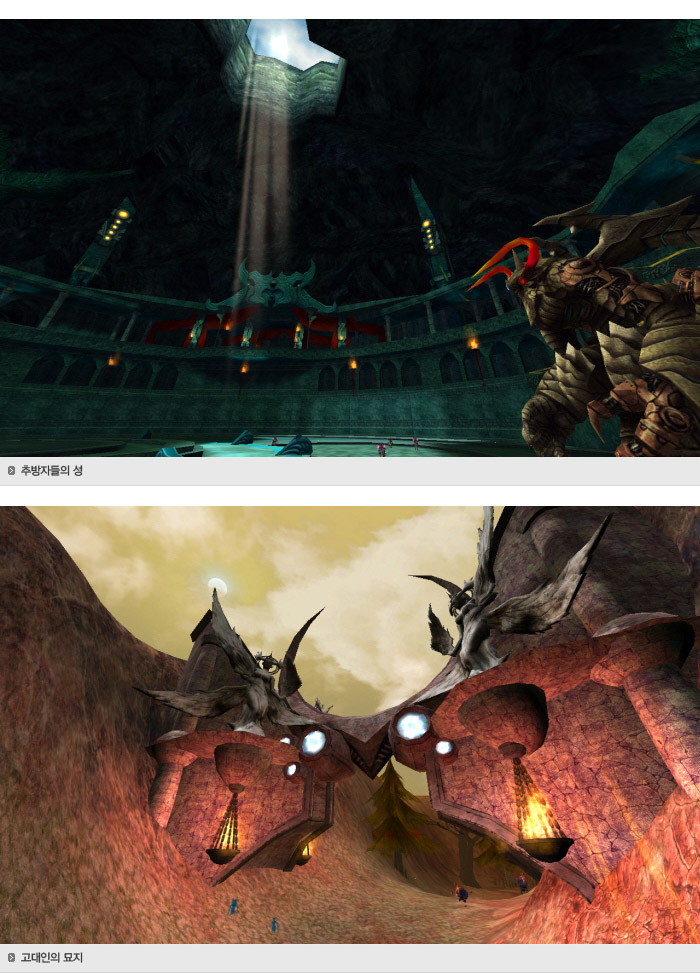
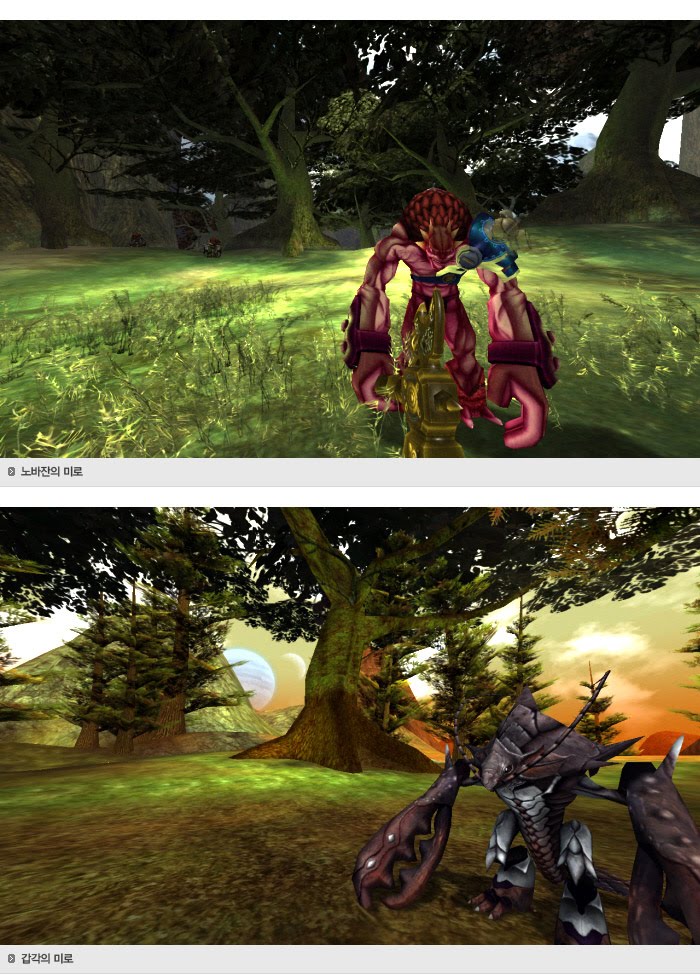
RF Online V1.5 is quite successful in south korea, as a MMORPG game which evolved into MMOPS, altough many bugs found in their early release, documented in naver blog:
The bugs explained that like when you create a character and start the game, you receive a large number of (garbage) items. Messy combination formula. And incorrect buy-and-sell accessories price, so players can abuse it (after weeks confirmed bugs, CCR fixed it).
CCR Inc. ( CEO: Yoon Suk-ho) announced that the open service (OBT) of SF MMORPG ‘RF Online’ expansion pack ‘NEW RFOnline V1.5’ will be held at 3pm on October 19th 2011, and at the same time, a large-scale league exhibition with a total prize fund of 300 million won will be held.
Update rf paling misterius, bertahun-tahun main RF belum pernah nyobain yang versi 1.5, meskipun berdasarkan testimoni bug nya banyak (pake banget), tapi tetep penasaran aja, beberapa update/fitur mungkin ada yang diganti dan dirilis di versi update yang baru (Update Patron, Balze, dan seterusnya), makanya jadi penasaran sama RF versi ini
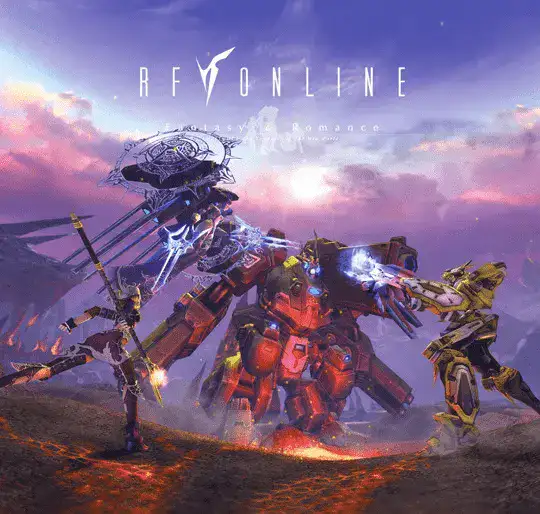
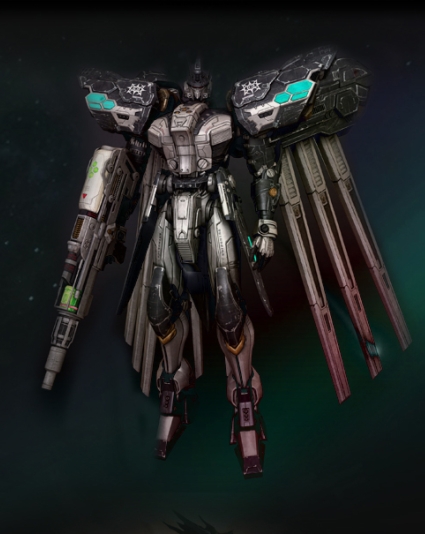
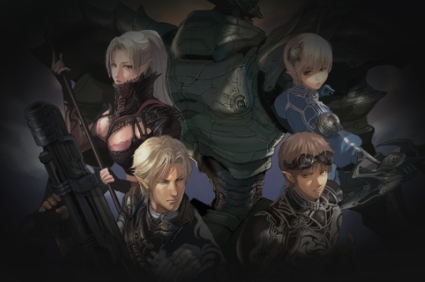





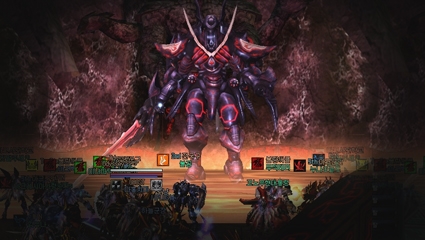
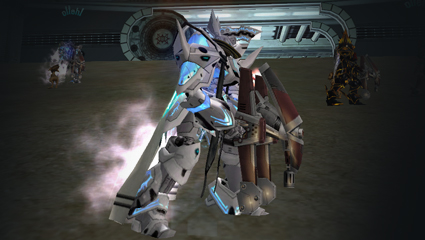
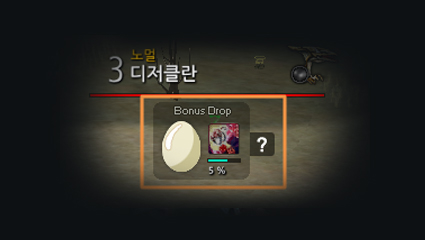
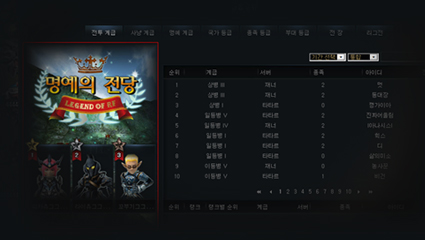







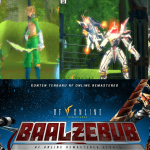


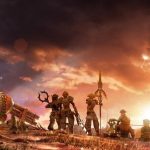
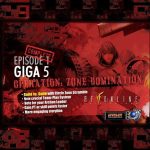
Update rf paling misterius, bertahun-tahun main RF belum pernah nyobain yang versi 1.5, meskipun berdasarkan testimoni bug nya banyak (pake banget), tapi tetep penasaran aja, beberapa update/fitur mungkin ada yang diganti dan dirilis di versi update yang baru (Update Patron, Balze, dan seterusnya), makanya jadi penasaran sama RF versi ini